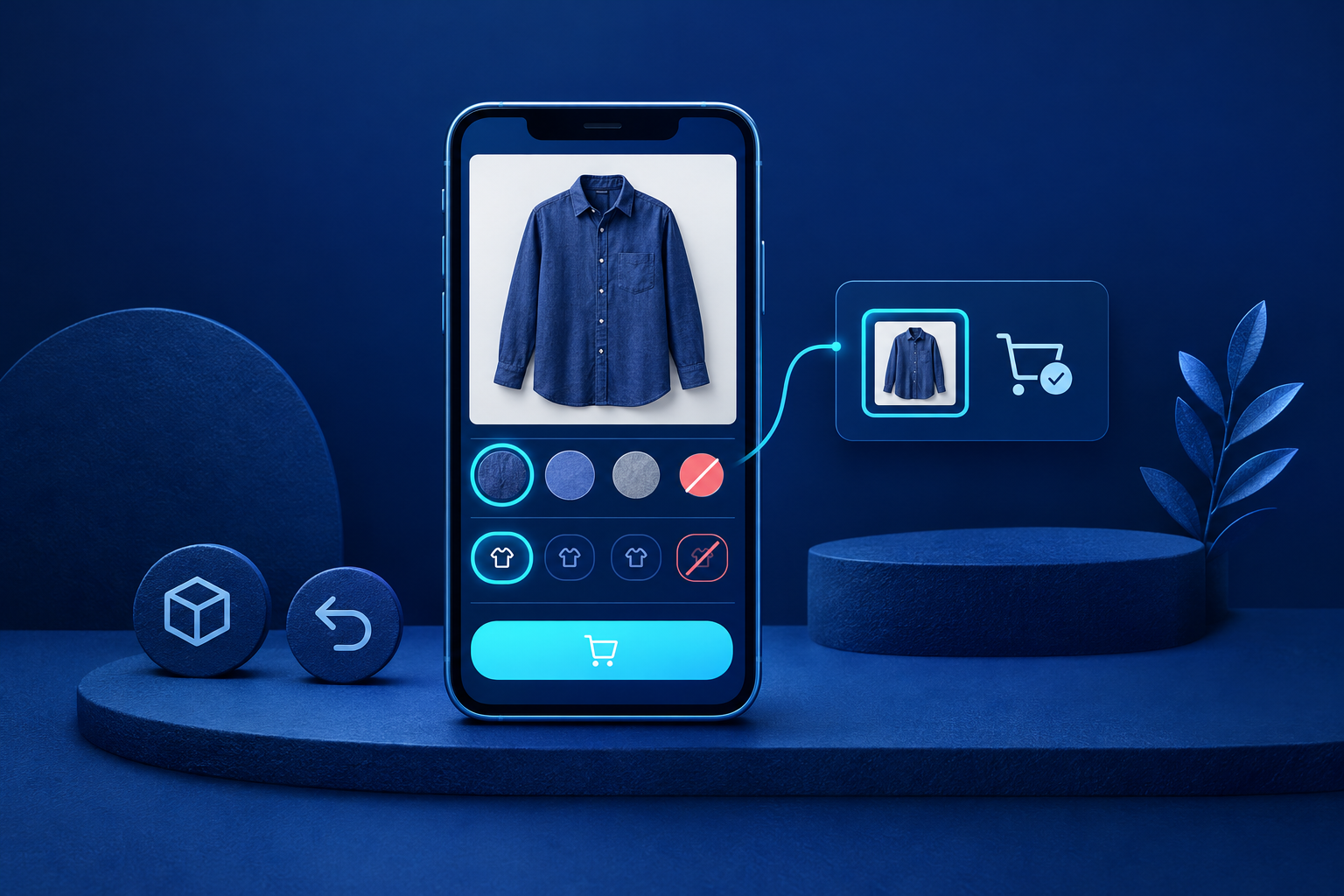
An easier-to-buy-from product page explains the item, selected version, cost, delivery and returns, then makes choosing and adding to cart straightforward. Fix incorrect selections and unusable controls before polishing the layout. Good ecommerce product page design supports a sequence of decisions, not just an attractive first impression. Assess whether shoppers can choose the right item and understand the conditions without guessing.
Answer purchase questions before telling the brand story
Place the specific product name, selected price and currency, essential specifications and buying controls together. Explain fit, compatibility, dimensions or capacity as relevant. State what is included and any important exclusions. For clothing, verified fabric composition, garment measurements and lining details help more than broad descriptions such as “premium quality”. Show front, back, detail and scale photographs where they answer genuine questions.
The common failure is burying a decisive limitation under “More information”. Keep purchase-changing details visible; use clearly labelled expandable sections for supporting material. Test whether someone unfamiliar with the item can explain what they will receive. In Shopify, metafields hold specialised product information, but displaying them through the theme editor depends on theme support. Entering a value does not prove shoppers can see it.[1]
Make the selected version unmistakable
A variant is a specific version of a product, such as an indigo kurta in medium. Separate colour and size controls, and pair colour swatches with readable names. Shopify’s theme guidance describes separate options and updating media and price for the selected variant.[2] These are documented expectations, not proof that a particular theme or added feature behaves correctly.
- Selection: Show the chosen colour and size in text, not only through an outline.
- Availability: Distinguish an existing but sold-out variant from a combination the retailer does not offer.
- Missing choices: Explain “Choose a size” rather than leaving an inactive button unexplained.
- Consistency: Keep the photograph, price, stock message and cart item aligned with the selection.
A default size saves an interaction but risks an unintended purchase. For fit-sensitive products, require deliberate selection or make the default exceptionally obvious. Test several combinations, including sold-out and unavailable ones. The pass condition is exact: the cart contains the selected colour, size and quantity, without silently substituting another version.
Separate dispatch from arrival
Customers need destination eligibility, dispatch timing, reliable arrival estimates and delivery charges, or a clear explanation of when charges are calculated. Dispatch means leaving your operation; arrival includes transit. Shopify’s delivery guidance combines fulfilment and transit time when explaining delivery dates.[3] Avoid describing a dispatch window as though it tells customers when the parcel will reach them.
For Indian destinations, a six-digit PIN-code format check does not establish serviceability. A checker needs dependable destination data, including verified cash-on-delivery eligibility if offered. Shopify delivery settings do not automatically establish a product-page checker.[3] If destination-specific estimates are unavailable, state accurate dispatch information and explain that delivery options and charges are confirmed at checkout. Test supported, unsupported and invalid destinations; each should produce a clear, truthful result.
Summarise return conditions that could change the decision
Replace “easy returns” with a short, product-relevant summary linked to the full policy. Explain eligibility, what event starts the return window, required item condition, who pays shipping, any deductions and how to begin. Keep exclusions near the purchase decision. A shopper should not have to discover after adding an item that its return conditions differ from the rest of the range.
Shopify return rules can cover windows, shipping costs, restocking fees and final-sale exceptions. Configured rules do not automatically become part of a generated written policy.[4] Compare the product-page summary, full policy and operational rules for the same item. They should agree on eligibility and consequences. This is a content and process check, not legal advice about which terms a retailer may impose.
Make choosing and adding to cart accessible
Give controls properly associated labels and ensure the purchase sequence works with a keyboard.[5][6] Shoppers need visible focus, understandable errors and selection states that do not depend on colour alone. Product image alternatives should describe useful visual information, such as a fastening or fabric detail, rather than repeat search phrases.[9] A tiny swatch or an unlabeled icon can block a decision even when the page looks tidy.
WCAG 2.2 AA specifies a minimum target size of 24 × 24 CSS pixels, with spacing and other exceptions; it is not an unconditional rule for every control.[7] Test colour, size, delivery checking and cart addition without a mouse. Then check assistive-technology feedback: success or failure must be understandable, not merely a changing cart icon. Cart updates are a recognised status-message example.[8] These checks do not establish full accessibility conformance.
Preserve the buying decision on a small screen
Use a readable single-column flow with reachable options and buying information. Avoid a gallery so tall that every purchase detail starts far below it. W3C’s reflow guidance addresses preserving information and functionality at a width equivalent to 320 CSS pixels, with exceptions for content requiring two-dimensional layout.[10] Test narrow screens and enlarged content, rather than assuming a desktop preview represents mobile use.
Load the main product image promptly. Defer suitable offscreen media, but do not lazy-load the likely initial-view hero image.[11] A sticky purchase bar saves scrolling only if it reflects the current selection and leaves content, errors and controls visible. On a real phone with a constrained connection, check whether the shopper can understand the item and begin choosing before every secondary image finishes loading.
Worked example: follow one apparel choice to the cart
| Decision | Required information | Pass condition |
|---|---|---|
| Is this suitable? | Measurements, composition, fit and photographs | The shopper can explain what they will receive. |
| Which version? | Colour, size and exact availability | Sold-out medium cannot silently become another size. |
| Can it reach me? | Verified serviceability, timing and charge information | Dispatch and arrival are clearly distinguished. |
| Can I return it? | Eligibility, window trigger, condition and costs | The summary agrees with the full policy. |
| Was the right item added? | Colour, size, quantity and confirmation | The cart matches the deliberate selection. |
Prioritise faults, then repeat the complete sequence
- Correctness first: Fix wrong variants, stale prices, misleading stock states and mismatched cart additions.
- Access blockers: Treat controls that prevent keyboard or assistive-technology purchasing as essential fixes.
- Purchase conditions: Resolve missing or conflicting delivery and returns information with the operational owner.
- Mobile presentation: Improve loading, narrow-screen layout and obstructive sticky controls before decorative changes.
- Repeatable testing: Run available, sold-out, missing-choice and invalid-destination cases by keyboard and on a real phone with a constrained connection.
- Record and assign: Note the expected result, observed failure and owner; separate content edits from theme or integration work.

Start with one representative product and turn the observed failures into a brief with pass conditions. For implementation support, explore Softglimmer Services’ Shopify ecommerce development. Use the website launch checklist for broader release checks after the product sequence works. Judge each change by whether the task succeeds under the same conditions, not by an assumed sales uplift.
What belongs near the buying controls?
Keep the selected price, options, availability, essential fit or compatibility information, delivery summary and return limitations easy to reach. Supporting detail can sit in clearly labelled sections, but decisive restrictions should not depend on opening a vague “More” panel.
Does every product page need a delivery checker?
No. A dependable checker is useful when destination eligibility or conditions vary. If reliable data is unavailable, explain dispatch accurately and state where delivery options and charges are confirmed. A reassuring but inaccurate checker is worse than an honest limitation.
Do platform settings prove the page works correctly?
No. Documentation describes platform capabilities and expected behaviour. Your theme, product data and connected services determine the actual experience. Test the visible page through to a matching cart addition, including errors and unavailable choices.
Sources & further reading
Use the original guidance when checking details or planning implementation.
- Shopify Help Center: Product details page ↗
- Shopify theme documentation: Support product variants ↗
- Shopify Help Center: Fulfilment time and delivery dates ↗
- Shopify Help Center: Return and cancellation rules ↗
- W3C WAI: Labelling controls ↗
- W3C: Understanding keyboard accessibility ↗
- W3C: Understanding target size minimum ↗
- W3C: Understanding status messages ↗
- W3C WAI: Informative images ↗
- W3C: Understanding reflow ↗
- web.dev: Lazy-loading images and iframe elements ↗
This research-assisted guide uses the primary sources linked above. Examples are illustrative unless explicitly identified otherwise. Check original documentation when implementing changes.