
Skip to content

Design the whole interaction. Explain what has actually happened.

Softglimmer offers UI and UX design for Dallas businesses, delivered remotely from Ranchi. We investigate the task, organise its information and design realistic interface states before preparing a prototype and implementation guidance. A useful design lets someone recognise the next action and understand its result. Selecting a document, sending it and having its contents accepted are different moments; the interface should not describe them as one success.

From a business task to an understandable interface
  1. 01

    Understand the task

    Discover the people, information and intended outcome.

  2. 02

    Design the states

    Make progress, correction and next actions readable.

  3. 03

    Hand over the intent

    Give implementation teams usable behaviour guidance.

An example journey, shaped around your requirements.

Start with the person doing the work, not a collection of screens.

The commission can concern a public website, a customer product or a staff interface. Bring the existing journey and the reason it is difficult: unclear choices, missing context, confusing navigation or feedback that people cannot interpret. We agree which users and tasks to investigate, what evidence is available and which business decisions need an owner. Research activity and participant access belong in the scope rather than being implied by a design label.

Work can include an interface assessment, information architecture, task flows, wireframes, responsive visual design, reusable interaction patterns and a clickable prototype. We use representative content, including an important incomplete or unsuccessful attempt. The project identifies which journeys receive detailed treatment and what the receiving development team needs to build them.

Design acceptance and implementation acceptance answer different questions. A prototype can help assess wording, sequence and visible behaviour. Actual file handling, permissions, persistence and server responses need implementation and appropriate technical checks. The design handover records those dependencies instead of presenting a successful prototype animation as evidence that the real operation occurred.
A document name is not a delivery receipt.

Hypothetical design example: a person chooses a supporting document, sees its name and moves on, believing it has reached the receiving team. The flow needs a clear distinction between the local selection, the transfer and the resulting response. This is a proposed interaction, not a delivered Dallas upload system.

A selected file still needs a supported transfer and response
  1. 01

    Choose

    Show the selected file and a deliberate send action.

  2. 02

    Transfer

    Explain progress or interruption without claiming receipt.

  3. 03

    Respond

    Show the actual outcome and the supported next step.

Illustrative interface sequence; real handling requires its own implementation review.

Give each stage a truthful meaning.

Use these distinctions when defining a document flow. Exact limits, error rules and evidence come from the system responsible for handling the file.

StageMeaningInterface decisionReview evidence
SelectedThe browser or app has a local choice.Show its name and the action that begins transfer; let the person replace it where supported.Selecting alone never produces a received confirmation.
TransferringThe operation has started but has not produced a final response.Keep progress and interruption understandable. Define whether retry is available and what it does.An interrupted attempt cannot retain a false success message.
ReceivedThe implemented receiving service has confirmed the agreed receipt.Explain what was received and whether further business review is still pending.Receipt wording matches the actual response, not a timed animation.
Content reviewedThe responsible team has made the agreed decision about the document's suitability.Separate acceptance, a request for another document and a declined business outcome from technical transfer.The reviewer can distinguish a delivered file from material accepted for its intended purpose.
Needs another actionA file or attempt cannot continue under the agreed rule.Describe the correctable issue and whether the person must select the file again.A useful correction route remains visible without promising automatic recovery.

Specify design outputs another team can use.

The agreed engagement names the depth of discovery, page and screen coverage, review activity and handover formats.

01

Task and information map

Connect intended users, important choices and the information each step requires. Record unresolved business rules and who can answer them.

02

Structure and wireframes

Arrange navigation, sections and fields around the priority tasks. Show how someone reaches the flow and returns to the relevant context.

03

Responsive interface system

Develop representative layouts, typography, controls and meaningful states using approved copy. Include relevant keyboard and small-screen behaviour in the review plan.

04

Prototype and evaluation

Choose what the prototype should help the team learn. Record participants or reviewers, observed confusion and resulting design decisions without inventing research outcomes.

05

Behaviour and content guidance

Document labels, state transitions and important alternatives. Identify which messages depend on a real technical or business response.

06

Implementation handover

Provide the agreed design files, components and notes, with open dependencies and acceptance examples visible to the receiving team.

Review an attempt, including the point where it cannot continue.

Use dated America/Chicago and Asia/Kolkata review invitations. Name the business-rule owner and the person receiving the design for implementation.

  1. 01

    Frame

    Agree the task, current difficulty and design coverage. Supply realistic content with unnecessary private details removed.

  2. 02

    Explore

    Compare structure and wording, then assess the important states in a representative prototype.

  3. 03

    Refine

    Record the decisions and unresolved handling rules. Make the revision understandable to people who missed the discussion.

  4. 04

    Transfer

    Walk the implementation team through the flow and its limits. Agree how implemented behaviour will be checked separately.

Ask the reviewer what they believe the file has done.

In the hypothetical document flow, pause after selection, during transfer and after the response. Ask the reviewer to explain whether the team has the document and what happens next. If the wording implies an approved application when only a file was received, correct that meaning before applying the pattern elsewhere.

A refresh or sign-in change may require the person to choose the file again. A retention or recovery feature must be specified and implemented before the design encourages reliance on it. Validation, security checks and any review of the document itself remain separately defined responsibilities.

Review actual website presentation.

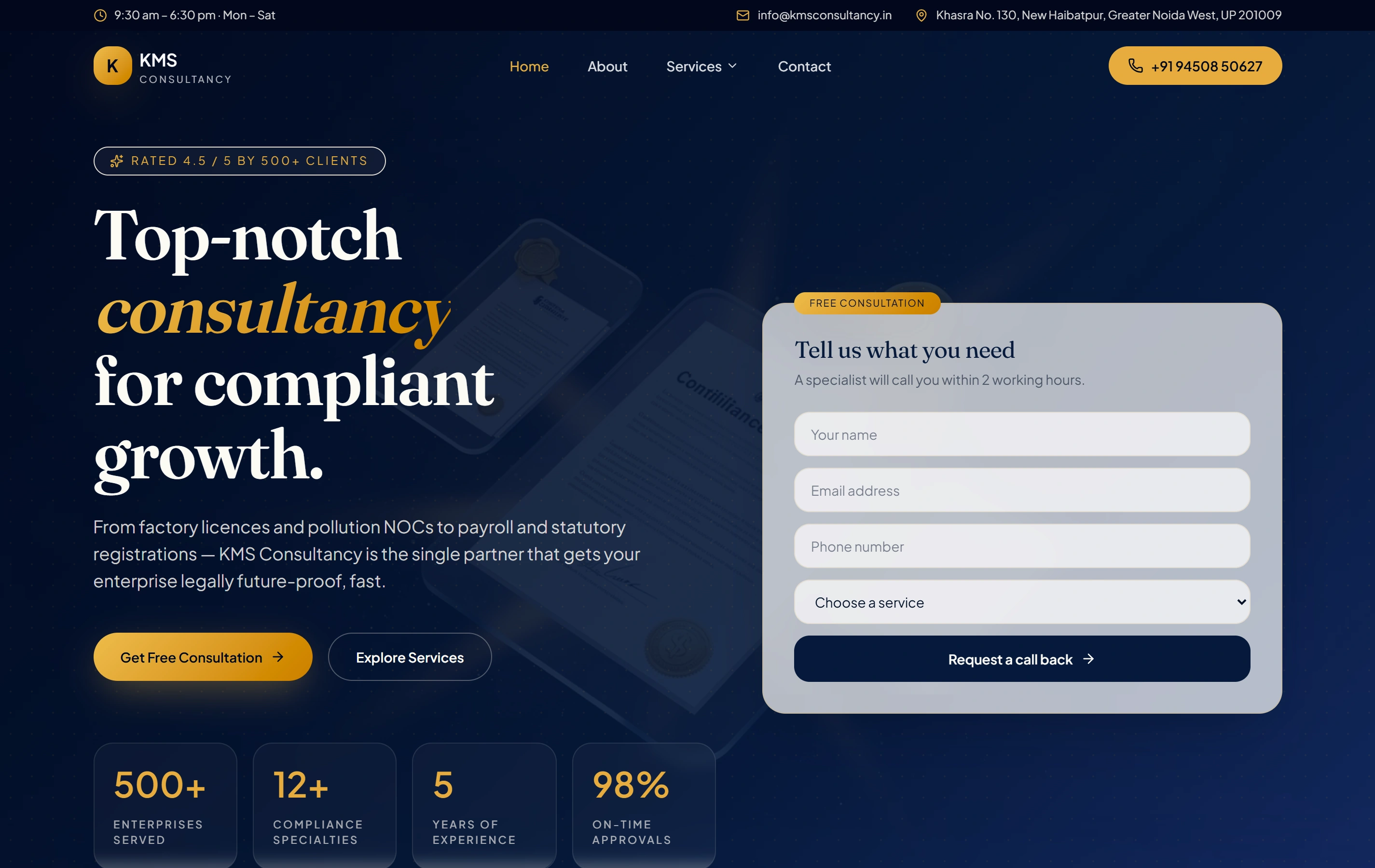
KMS Consultancy and Kiran Traders are documented websites with service information and enquiry routes. They provide content and interface context for discussion; their portfolio entries do not demonstrate document-upload software or the hypothetical flow above.

ContentCompliance
StructureService pages
ActionEnquire
KMS Consultancy websiteKMS Consultancy

Questions about the UI and UX engagement.

Can you design without building the product?

Yes. A design engagement can produce agreed flows, interface files and implementation guidance. The proposal states whether development is included. Prototype feedback does not prove the production system works.

Do all screens need detailed design?

We agree representative patterns and the journeys requiring detailed treatment. Repetition can use documented components, while materially different behaviour needs its own decision and review.

How will a Dallas team review remotely?

Our studio is in Ranchi, India. Named reviewers examine an identified version, with dated review windows and written decisions. The page describes a remote service area.