
Skip to content
London · UI & UX Design

UI and UX design for London teams.

Softglimmer provides UI and UX design for London websites, apps and business software. We can review an existing interface or define a new journey through discovery, structure, prototypes and responsive visual design. Working remotely from Ranchi, we involve the people who approve and implement the design, with agreed deliverables, feedback stages and a clear boundary between design and production code.

Explore London
A design your users can review and your developers can implement.
  1. 01

    Understand the task

    Review actual users, workflows and available feedback.

  2. 02

    Shape and test the journey

    Define structure, screens and important interaction states.

  3. 03

    Handover the system

    Explain reusable components and implementation decisions.

An example journey, shaped around your requirements.

Choose design work around the product’s real use.

UI and UX work can improve a difficult existing journey or define an interface for a new website, app or business system. We review who uses it, the content and tasks they need, and the feedback already available. An audit may reveal focused improvements without requiring every screen to be replaced.

The agreed design scope can cover information architecture, wireframes, prototypes, responsive visual layouts and reusable components. We include the empty, waiting, error and permission states that affect the selected tasks, and discuss implementation constraints with the development team rather than leaving them to the final handover.

The bulk-action illustration below is one interaction problem. A different navigation, booking, onboarding or operator workflow can be considered on its own requirements; you do not need to adopt the example to enquire.
Audit, design a journey, or define a wider interface system.

We agree the task coverage, review evidence and implementation boundary before the design work starts.

01

A focused UX review

Inspect troublesome navigation, forms or task flow using the current interface and available feedback. Prioritise changes against the people and context involved.

Discuss before build: A defined problem and ordered improvements.

02

A journey redesign or new interface

Map the required content and flow, review wireframes or a prototype, then develop the agreed visual and responsive screens.

Discuss before build: Named journeys and their important states.

03

A reusable design system

Define components, visual tokens and content/behaviour conventions that support the screens the team needs to extend.

Discuss before build: An implementation-aware scope, not only a visual style guide.

Agree what the design team will hand over.

A design-only engagement and a design-plus-build engagement have different outputs. The proposal distinguishes design artifacts from production implementation.

01

Discovery and problem definition

Review users, task context, the current interface and available feedback to prioritise the design problem.

A brief with the decisions the design must support.
02

Information architecture

Organise navigation, content groups and screen responsibilities around the agreed user journeys.

A structure and page/flow map to review.
03

Wireframes and prototype

Make the selected sequence and information hierarchy reviewable before committing to detailed visual screens.

Agreed journeys and feedback states.
04

Visual and responsive interface

Apply the brand and content hierarchy to the scoped screens, including how controls and layouts adapt to their use.

Layouts and states for the agreed screen set.
05

Reusable components and conventions

Define the selected components, tokens and behaviour rules so later screens can follow the same system.

A design system tied to implementation constraints.
06

Usability review and handoff

Review realistic tasks and document decisions and interaction details for the team building the product.

A design and developer handover with open issues recorded.

Keep user review and engineering review connected.

For an estimate, share the current product or brief, intended users, difficult tasks, available feedback, screen/platform needs and the development constraints. Identify who can review the work and whether you want design-only or design-plus-build. Our Ranchi team collaborates remotely with agreed meeting windows and written feedback; London time and seasonal clock changes are considered when scheduling reviews.

  1. 01

    Define the problem

    Review the users, current behaviour and task boundaries. Select an audit, a focused design journey or a wider interface scope.

    A prioritised brief and estimate.
  2. 02

    Review structure and flow

    Test the information order and interaction sequence with the agreed content and participants before polishing the screens.

    Wireframes or a prototype that can be assessed.
  3. 03

    Develop the design system

    Resolve the selected visual, responsive and component states with implementation constraints visible. Record the decisions and remaining questions.

    An agreed screen and component scope.
  4. 04

    Handover and continue

    Walk through the design with the implementation team and explain the states and conventions. Further design support or production development is specified separately.

    Ownership of design artifacts and follow-on responsibility confirmed.

Commission design for one reviewable bulk task.

Our UI and UX scope can cover the task map, selection and result states, an interactive prototype and implementation guidance. We review your existing interface and the operating rules before deciding whether this needs a focused flow correction or a larger design system. The project is defined around the user’s decision, not a promised number of attractive screens.

Share the current task, representative record states and the people available for review through the project enquiry. We propose a written scope and estimate after assessing those inputs. Backend development is a separate or explicitly included commission; a design handover identifies its required contracts. Final accessibility and interaction acceptance must examine the implemented task and the agreed user needs.

A hypothetical working example

The selected rows include records that cannot take the same next step.

Consider a hypothetical London team updating the owner of several service requests. The list is filtered, and staff select a group of rows. A few requests are closed; one has moved to another team while the user was reviewing the list. The person needs to understand which requests the proposed reassignment will affect, which are excluded and whether the action applies only to visible rows or the wider filtered result. A focused design phase can resolve these choices before the backend implementation is commissioned.

Selection is an instruction with a scope

Show the difference between the visible page, all matching results and individually selected records. Keep the count near the proposed action and provide a way to inspect or change the selection. Include an example where the filter changes after selection. The design should answer what remains selected rather than letting a changing list silently redefine the user’s instruction.

Exceptions need a useful next step

Explain the excluded records in terms the operator can act on: already closed, changed owner or a rule that requires another reviewer. Keep the proposed eligible set distinguishable from those exceptions. A generic failed-action message after confirmation gives the person too little context to decide whether to retry, adjust the selection or ask an owner.

Show which selected records are eligible, what will change and what needs a separate decision.
  1. 01

    Select the intended records

    Keep the selection scope and identifiers visible.

  2. 02

    Review the eligible change

    Explain the proposed effect and remaining exceptions.

  3. 03

    Confirm a bounded outcome

    Show what succeeded and what still needs attention.

Illustrative project planning sequence.

Design the review around the actual effect of the action.

01

Explain the proposed change

State the operation, affected record count and meaningful field change before confirmation. Let the user inspect representative details and the exception list. Review a selection with one eligible record as well as a larger selection. The design should remain understandable without depending on a large count or a perfect all-success example.

02

Group related controls clearly

W3C form guidance explains grouping related controls with an appropriate group label. Use that principle for selection options or action settings so their relationship is understandable. Review the labels, keyboard path and information presented to assistive technology. A visually bordered panel alone does not establish that a control group is implemented correctly.

03

Separate design from execution rules

A prototype can demonstrate selection, review and result states; it does not execute real permissions or protect current data. Record the backend decisions that still need implementation, including eligibility, a changed record and partial outcomes. Test the final interface against actual response states when that implementation is ready.

04

Keep results traceable to the proposal

Show what the action completed, what it skipped and what requires another review. Preserve enough context for the person to compare the outcome with the earlier proposal. Decide whether a correction, reversal or fresh action is available for this specific operation. Do not label every action reversible without a demonstrated recovery rule.

A prototype built around success and exceptions.

01

Selection and eligibility map

The record scopes, action rules and exception categories supplied by your operating owners. Examples include a filter change, a stale selected record and a partly eligible group. The map identifies what the interface can explain and what requires a server decision.

02

Reviewable action prototype

Selection, proposed effect, confirmation and result views with realistic content. The prototype includes grouped controls, long exception labels and a smaller viewport. A review script lets staff explain the intended action before pressing the confirmation control.

03

Implementation and evaluation notes

Field meanings, response-state requirements and accessibility checks for the commissioned interface. Notes identify the missing execution rules and recovery decisions. The final evaluation must use the real implementation; approval of a prototype is not acceptance of a live bulk operation.

Ask the operator to explain the action before confirming it.

Bring a sanitised group of records with different eligibility states and a description of one permitted bulk action. Include a changed record, an empty eligible set and a result with an exception. The operating owner should supply the rules; the design team can help reveal where those rules are ambiguous, but should not invent an authority to reassign or change records.

Run the prototype with the people who use the list. Before confirmation, ask them which records they expect to change and what should happen to the excluded ones. Observe the selection and review using a keyboard as well as a pointer. Where accessibility is part of the review, involve relevant users and evaluate against the agreed requirements rather than treating a visual inspection as complete proof.

Our Ranchi team can conduct these London reviews remotely and turn the findings into a focused interface specification. The first phase may cover one bulk task well, with the real execution and recovery work clearly assigned. That gives the implementation team a concrete contract to verify instead of a general dashboard design that only demonstrates the easiest outcome.

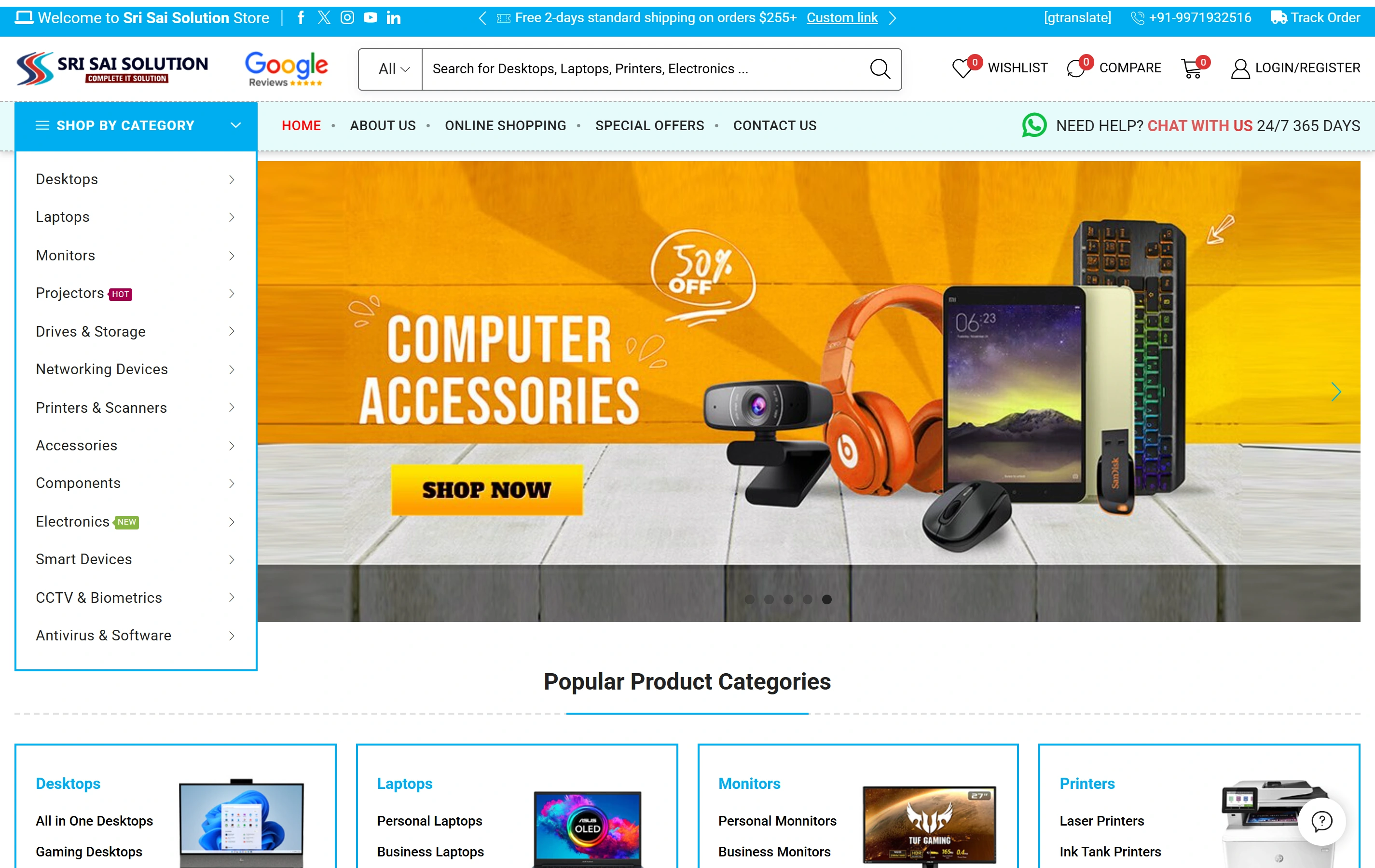
Readable product information in the Sri Sai Solution website.

The Sri Sai Solution website presents product information and enquiry routes in a real public business site. It is an example of organising choices for visitors. It is not evidence of a delivered bulk-action tool, operational permissions system or London client outcome. The service-request reassignment example here is hypothetical.

Electronics catalogueA focused retail offering
Product discoveryDifferent ways to find a product
Shopping experienceStorefront presentation
Sri Sai Solution websiteSri Sai Solution

Choosing the service and defining the project.

Can we start with an audit instead of a full redesign?

Yes. A focused review can identify specific problems in structure, task flow, forms or hierarchy and prioritise improvements. We agree the tasks and available evidence before recommending which parts need redesign.

Is development included with UI and UX design?

Design-only and design-plus-build scopes are available. The proposal distinguishes the prototype, interface/design-system deliverables and production code so that implementation responsibility is clear.

Can the work cover mobile layouts and a design system?

Both can be included when the product needs them. We scope responsive behaviour around the actual content and tasks, and define reusable components and behaviour rather than only a set of colours and fonts.

How do you estimate and review the work with our team?

The estimate depends on users, journey and screen coverage, available feedback, prototype needs and handoff detail. We name the review participants, agree feedback stages and include engineering constraints early rather than promising a result from a screen count alone.

Can we prototype the task before changing our live system?

Yes. A prototype can help your operators review selection, proposed effects and exceptions. It remains a design artefact. Actual eligibility, permissions and data changes must be implemented and tested separately.

Should selecting all mean every filtered result?

That is a product decision to make explicit. The interface must distinguish the chosen scope and let users understand it before confirmation. We review the task and expected behaviour rather than assuming the same selection rule suits every list.

Will the design make every bulk action reversible?

Only a demonstrated operation-specific recovery rule can support that claim. The brief should identify whether a correction, reversal or new reviewed action is available, and what information is retained to support it.

Can a London team work with your studio remotely?

Yes. Softglimmer is based in Ranchi, and we can organise remote task reviews, prototype sessions and implementation handover with your London owners. This page does not imply a London office or an existing local project.