
Skip to content

Build a useful publishing system. Give every field a clear purpose.

Softglimmer offers WordPress and CMS development for Los Angeles businesses, delivered remotely from our Ranchi studio. We connect content planning, responsive design, website implementation and the ordinary work of updating it. The right controls help editors recognise what visitors will read, what a reviewer still needs to decide and where an internal instruction belongs. A new site, a focused improvement and a migration can each be scoped around that actual publishing task.

Explore the commission
Public content and editorial instructions need different homes
  1. 01

    Model the information

    Give recurring public material a useful structure.

  2. 02

    Design the website

    Review templates with realistic content.

  3. 03

    Rehearse publishing

    Inspect the assembled public uses.

An example journey, shaped around your requirements.

Commission the website and the editing model together.

Start with the audience, approved offer and page types the business needs. Service pages, project stories and articles can share a visual system while requiring different fields and relationships. We examine ordinary updates with the intended editor before choosing the amount of layout freedom, structured entry and review support. The platform should serve those tasks rather than leave every editor to invent a publishing method.

The selected engagement can include information architecture, branded responsive templates, WordPress or another agreed CMS, forms, approved connections and initial content work. An existing installation needs an authorised review of its theme, extensions and access. A migration adds an inventory of useful pages, media, relationships and addresses, with a deliberate treatment of retained and changed material. These are named parts of the proposal, not automatic extras attached to a theme.

Some information belongs to editorial coordination rather than the published offer. Decide whether a simple separate review document is enough or an internal field is useful in the selected setup. Its readers, storage and public-output exclusions then need an explicit implementation boundary. A field called private, or a control hidden from one editor, does not by itself establish that boundary.
An instruction for the approver appears in a public summary.

Hypothetical example: an editor preparing a service entry needs to ask the approver to confirm one sentence. They put the instruction in a short caption field because it is convenient. The detail preview makes the field look secondary, but the website also uses it as the service-card summary. The internal instruction has become part of a visitor-facing explanation.

Review where each field is used, not only its label in the editor
  1. 01

    Recognise the field

    Explain its actual public purpose beside the control.

  2. 02

    Place the instruction

    Use the agreed editorial coordination route.

  3. 03

    Inspect the outputs

    Review the selected detail and summary uses.

Illustrative CMS commissioning exercise; no particular plugin behaviour or confidentiality guarantee is assumed.

Agree a field-to-output map with the publishing team.

Choose the public surfaces that actually exist in the project. A feed, site search, social description or automated excerpt needs inclusion only where the selected website uses it.

InformationWhy it is enteredContent-model decisionAcceptance evidence
Public descriptionA visitor needs an approved explanation of the service.Name the public detail, cards and other included uses of that field. Give the editor an accurate label and useful guidance.A change produces the intended explanation in each selected public use.
Internal instructionA reviewer needs a question or preparation note.Choose a separate review location or expressly scoped internal field, its authorised readers and how it is excluded from public output.A distinctive harmless sample instruction is absent from the agreed public pages, summaries and other included output routes.
Automatic summaryA template may derive short text from another field.Decide whether that derivation is useful or whether the editor supplies a deliberate public summary. Record the actual source.An innocent change to a body or caption does not create an unexplained public excerpt.
Ordinary later editAnother colleague will reuse the controls after launch.Demonstrate the field guidance and public review using a new entry, not only the original populated example.The receiving editor can identify the public fields and the approved place for an instruction.

Receive a website the team can publish and maintain.

The proposal states the extent of page design, content preparation, development and migration, with the business approving its facts.

01

Content and page plan

Identify audience questions, recurring entries, relationships and approved source material. Assign missing content and factual decisions.

02

Responsive design

Design representative templates with real titles, longer descriptions, media and useful actions. Review phone and wider layouts together.

03

CMS implementation

Build the selected fields, templates, editing controls and functions. Inspect required extensions, licences and technical dependencies.

04

Publishing instructions

Explain field purposes, selected derived outputs and the review route. Keep internal coordination separate from public copy through the agreed arrangement.

05

Migration and journey checks

Where included, reconcile approved entries, useful addresses, media and relationships. Follow contact and resource journeys in the implemented site.

06

Editor and technical handover

Practise routine changes and provide the agreed account, source and care guidance. Assign updates, backups, recovery and future requests.

Let the editor prepare an entry and inspect its public uses.

For the hypothetical service entry, use clearly recognisable non-sensitive sample text in the agreed public and editorial locations. Follow the selected review and publication process. Inspect the actual detail page, service card and any other output the brief includes without relying on an editor session. Checking the detail alone would miss an instruction copied into a public summary. Technical acceptance also examines relevant output routes in scope; the walkthrough does not certify an unreviewed plugin or external service.

Then ask the receiving editor to create a fresh entry and correct its approved public summary. They should know where an instruction goes and which views to inspect. Bring representative pages, the current website and recurring editor tasks to discovery. We can agree Los Angeles and Ranchi reviews through dated America/Los_Angeles and Asia/Kolkata invitations, with the content approver and technical owner involved in their own decisions.

Connect content decisions to a reviewed release.

  1. 01

    Inspect the publishing work

    Review current material, the editor task and actual platform dependencies. Agree the website and migration boundary.

  2. 02

    Model and design

    Choose content units, field purposes and responsive public templates with representative entries.

  3. 03

    Build and rehearse

    Implement the selected arrangement. Walk an editor through preparation, review, publication and a later correction.

  4. 04

    Release and equip

    Check the agreed public journeys and provide ordinary editing and continuing technical responsibilities.

A documented public website reference.

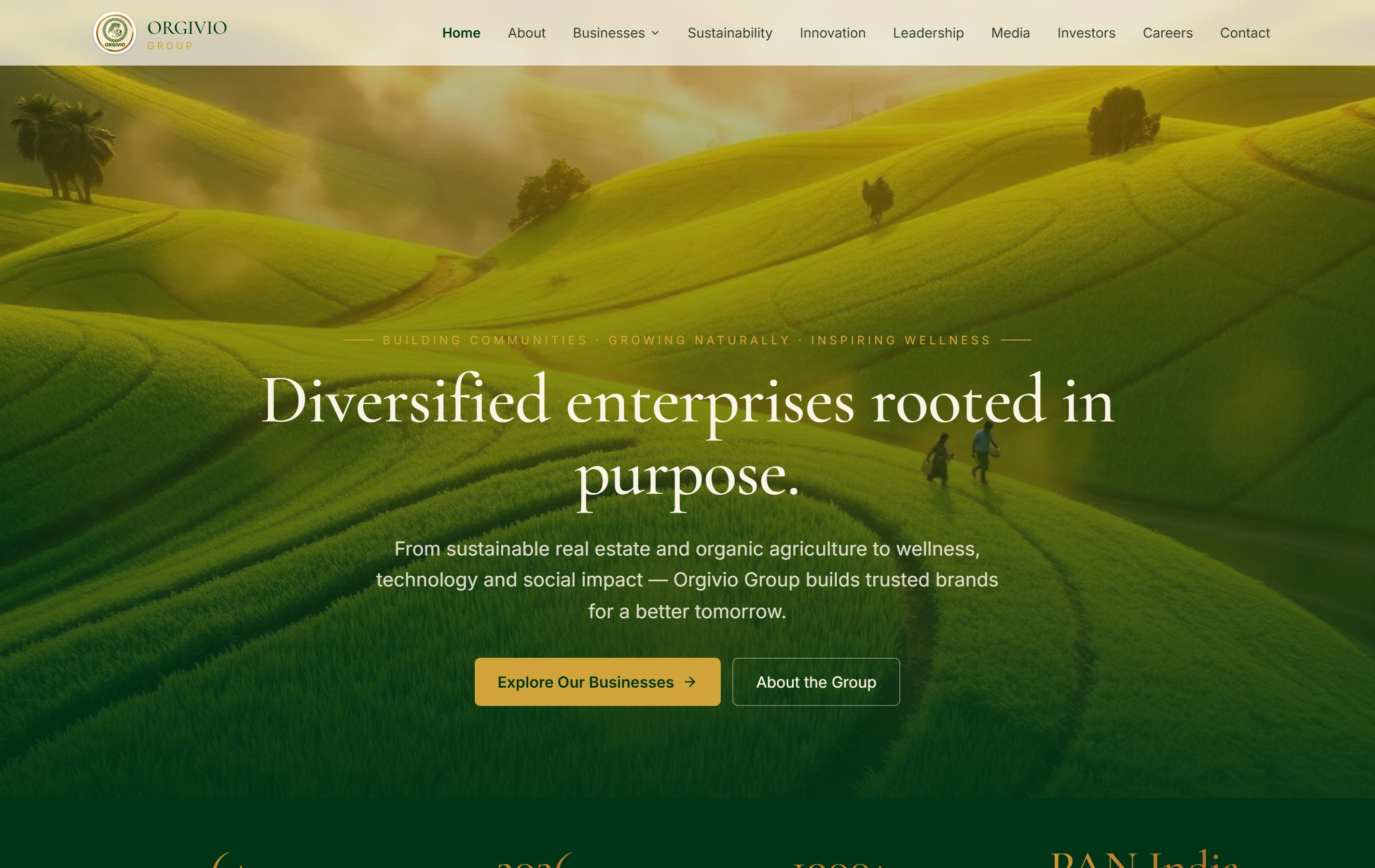
Orgivio Group is a documented corporate group website presenting its businesses, sustainability, leadership and stakeholder information. It is a factual reference for public information structure. The CMS publishing behaviour described in this guide needs its own agreed scope and demonstration.

Group presentationOne recognisable company story
Business divisionsSpecific routes from the overview
Stakeholder informationSeveral audience needs
Orgivio Group websiteOrgivio Group

Questions about the website and editorial work.

Does every internal note need a custom CMS feature?

No. A separate review document may be enough. If an internal field is useful, its audience, storage and public-output treatment must be included in the selected implementation and acceptance scope.

Can we keep an existing WordPress installation?

An authorised inspection can establish whether focused template or editing improvements are suitable. A migration should solve a real requirement and include the associated content, route and account work.

Will the project include content writing and entry?

The proposal states the amount included. The business approves factual claims, supplied media and the intended offer; additional writing, translation or larger content preparation is identified separately.

Who looks after the installation afterward?

Agree the hosting and technical owner, extension licences, updates, backups and support route. Ordinary publishing and further development have distinct responsibilities in the handover.