Skip to content
Interior Designer Websites for Pune Studios

Show what the studio contributed, then help the visitor describe their space.

A beautiful room photograph can attract attention while leaving important questions unanswered. Who designed the space, what work did the studio undertake and which part of the project is relevant to someone enquiring today? Softglimmer plans websites for Pune interior and architecture studios around that connection between visual work and useful context. The project begins with the studio’s approved portfolio, service boundaries and publishing permissions. Our office is in Ranchi and the work is delivered remotely through agreed reviews. We preserve supplied design intent and genuine project information while building a browsing journey that gives an interested visitor a practical next step.

Explore Pune
Project authorship, image permissions and a useful first brief for interior and architecture studios.
  1. 01

    See the work

    Present approved images in a considered sequence.

  2. 02

    Understand the contribution

    Explain the studio role and project context.

  3. 03

    Share a brief

    Ask for the space and stage of the proposed work.

An example journey, shaped around your requirements.

A hypothetical working example

A visitor likes a room but cannot tell what the studio delivered.

Imagine a hypothetical Pune studio publishing a residential project photographed by another professional. The gallery has striking images but no account of the studio’s role, project stage or services involved. This is a working example, not a client claim. A useful project story would give the images their approved context and allow someone with a similar need to enquire without treating every pictured element as the studio’s own design or supply work.

Write the contribution clearly

Record the studio’s role, the agreed project description and any credits that must accompany the images. Distinguish completed work, work in progress and a proposed design where those differences matter. The narrative can explain an approved design problem and response without inventing a client quotation or claiming an outcome that the studio cannot substantiate.

Move from inspiration to requirements

The visitor may need to describe the property type, location, approximate project stage and services sought. Ask for the context the studio uses to assess fit, with a clear explanation of the next conversation. Sending that brief should not imply a design appointment, site visit or quotation has been confirmed.

  1. 01

    See the work

    Present approved images in a considered sequence.

  2. 02

    Understand the contribution

    Explain the studio role and project context.

  3. 03

    Share a brief

    Ask for the space and stage of the proposed work.

Hypothetical planning sequence.

Decide what each portfolio story is allowed to say.

01

Confirm image and publication permissions

Gather the studio’s approved images and the permissions relevant to the intended public use. Identify required photographer, collaborator or supplier credits. The studio confirms these arrangements; the website team should not infer rights from receiving a folder. Record where a credit appears and who can authorise a future change to the project story.

02

Make project categories useful

Choose categories that help the visitor understand the work, such as the type of space or service undertaken. Avoid turning every visual theme into another empty category. The page plan should allow a project to carry its own context without repeating an entire generic studio description under each gallery, especially when images show only part of the commission.

03

Describe images for their purpose

W3C’s image guidance distinguishes informative images from decoration and calls for text alternatives suited to their purpose. In a portfolio, the author should decide what an image communicates. A caption and a text alternative have different jobs; neither should become a list of city and service keywords repeated beneath every photograph.

04

Keep the enquiry proportionate

Agree which information the studio needs before an introductory conversation. Some visitors will have a drawing or a detailed requirement; others will only know the space and project stage. Decide whether attachments are needed in the first release and how they would be handled. A simpler enquiry route may be the more useful starting scope.

A portfolio that carries its own context.

01

Project story inventory

A record of approved projects, studio contribution, image sequence, credits and the person responsible for reviewing the public description.

02

Gallery and detail design

Responsive portfolio pages that connect images, explanatory text and relevant services without asking photographs to communicate every detail alone.

03

Enquiry brief pattern

A considered first-contact journey covering the space, work stage and service needed, with acknowledgement wording that reflects an enquiry.

04

Portfolio update guide

Instructions for adding an approved project, preparing imagery, checking credits and making a correction without disrupting useful existing addresses.

Choose the project material before choosing effects.

Start with a small set of projects the studio can describe accurately and publish confidently. For each, collect approved photographs, the studio’s contribution and the factual context the visitor needs. If the available images are from different stages, explain that distinction in the story. A website should not silently combine a proposal image with a finished photograph and let the reader assume they show the same completed result.

Bring the current project URLs and any portfolio documents the studio already shares. Review the new information structure against those existing routes. Decide which links remain useful and how replaced material should be handled. The scope should preserve approved content and images while allowing the website’s navigation and reading sequence to become clearer.

During design review, follow the gallery from a phone-sized screen and from the keyboard. Check whether the project context remains understandable when a visitor sees one image, opens a saved project link or moves directly to the enquiry. The studio reviewer should approve credits and authorship wording at the same time as the visual presentation. That review creates a reliable publishing pattern for future work instead of leaving each new project to depend on a designer remembering the original decisions.

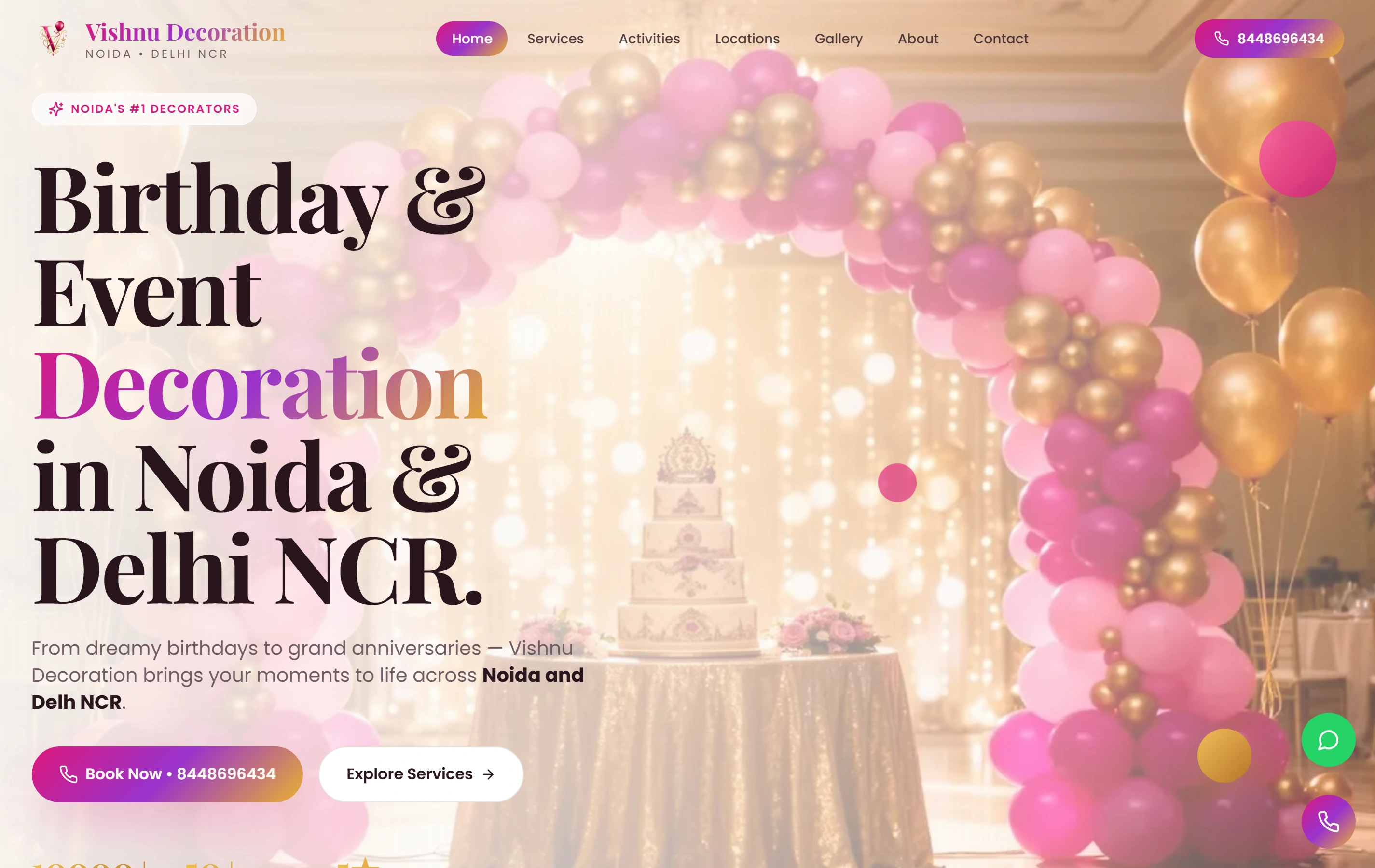
A real image-led service website.

Vishnu Decoration is a documented Softglimmer event-decoration website with themed galleries and a direct WhatsApp contact path. It offers a real example of connecting visual discovery to an enquiry. It is not an interior studio project, and the portfolio does not establish architecture credentials, design authorship or results for the hypothetical studio described here.

ExperienceMobile-first
ContactWhatsApp
FocusService gallery
Vishnu Decoration websiteVishnu Decoration

Questions before commissioning the work.

Can existing project photographs stay exactly as supplied?

Yes, the brief can preserve the approved photographs and their intended use while improving the surrounding structure. We first confirm what is supplied, the required credits and any constraints on cropping or publication. Preparing responsive files is an implementation decision to review with the studio, especially where composition is important.

Should every gallery image have a caption?

That depends on what the visitor needs to understand. A project introduction may provide shared context, while a particular image needs a specific explanation. We review captions and text alternatives by purpose. Repeating the same service claim beneath every image adds little useful information and can make the portfolio harder to browse.

What does a Pune studio approve in the remote process?

The studio confirms portfolio rights, contribution wording, factual project descriptions and the enquiry boundary. Our Ranchi team prepares the page structure, visual implementation and handover. Reviews use representative project pages and a real publishing task so future updates follow an agreed pattern rather than an improvised one.