Skip to content
React Interface Development for Ranchi Product Teams

Keep the selected product connected to the information being edited.

An interactive interface can show the right product initially and become confusing after the user edits a row, changes a selection or returns to an earlier step. The useful design question is how those actions relate to one dependable state. Softglimmer plans React interface work for Ranchi product teams around the task people need to complete. Our office is in Ranchi, and discovery and implementation reviews can be coordinated remotely. We inspect the existing application and content before agreeing a React or Next.js scope. Framework selection follows the actual requirement; it is not a substitute for defining the working behaviour.

Explore Ranchi
Product selection and editable interface state that stays understandable when records are changed.
  1. 01

    Choose the item

    Identify the record the user is acting on.

  2. 02

    Edit the information

    Keep changes visible in the relevant context.

  3. 03

    Review the next step

    Explain what will be retained or submitted.

An example journey, shaped around your requirements.

A hypothetical working example

A selected product label stops matching the edited row.

Imagine a hypothetical Ranchi product team building a specification request interface. A customer selects a product, then changes its displayed option in an editable list. The selected summary still shows the earlier label, leaving the customer uncertain about what the request contains. This is a planning example, not a delivered software claim. The first implementation scope should define the relationship between the selected record, the editable values and the review summary before adding more interface features.

Follow the record through the interaction

Identify what makes an item stable when its display text changes. A product name may be edited without creating a new product, while selecting a different record is another action. The user should see the relevant updated information without losing their place. The acceptance case follows that distinction through selection, editing and the review step.

Make unfinished work recognisable

An edited field, a saved draft and a submitted request are different states. Agree which actions retain the changes and which discard them. The interface should explain those states in language the user understands. Moving between panels must not silently imply that an edit was saved to the server when only the browser display has changed.

Selection and editing
  1. 01

    Choose the item

    Identify the record the user is acting on.

  2. 02

    Edit the information

    Keep changes visible in the relevant context.

  3. 03

    Review the next step

    Explain what will be retained or submitted.

Hypothetical planning sequence.

Specify behaviour before dividing the interface into components.

01

Choose a dependable state model

React documentation recommends avoiding redundant and duplicated state when values can be derived from existing information. Apply that principle to the actual interface, with stable record identity and a defined editing model. The review should test the selected summary after a value changes, rather than accepting the initial screen as proof that the whole journey works.

02

Name each persistence boundary

Record which values are temporary, which are stored drafts and which create a business request. If the application already has a backend, inspect its ownership and response states. The interface can provide helpful progress without claiming that a server accepted a change before there is evidence of that acceptance.

03

Plan correction and cancellation

Choose the behaviour for cancelling an edit, removing a selected item and returning from the review step. A user needs to understand which work survives each action. The scope should include representative interrupted journeys, so the experience does not depend on completing every step in one continuous session.

04

Fit the framework to the existing application

Review routing, data loading and the current component system before proposing React or Next.js work. Preserve supplied branding and working integrations. The first scope may be a focused interface improvement within an existing application rather than a complete framework migration, and its acceptance checks should reflect that boundary.

An interface brief that describes real interactions.

01

Task and state map

A defined selection, editing and review journey with the record identity, temporary values and persistence decisions made explicit.

02

Component and layout plan

A responsive interface structure that follows the task and uses the existing design system where it remains appropriate.

03

Behavioural acceptance cases

Representative checks for changed selections, cancellation, interrupted work and the difference between a browser update and a stored result.

04

Implementation handover

Notes covering the agreed component responsibilities, state decisions and backend dependencies, so later changes can be assessed against the same working contract.

Bring a task that currently becomes confusing.

Prepare a small example of the existing journey and describe what the user expects at each step. Include an item whose label changes, a selection that is removed and a draft reopened after leaving the page. An anonymised fixture can demonstrate those relationships without requiring private customer data. The reviewer should be able to distinguish a content edit from selecting another record.

Identify the system that stores information and the response that confirms a successful change. If the first release only covers the interface, record the backend contract and unresolved access questions separately. A convincing browser demonstration does not establish that server persistence, account permissions or a production connection has been completed.

Use the acceptance cases during design review as well as development. The product owner confirms the intended behaviour, while our Ranchi team presents concrete screens and implementation evidence. The handover should preserve the same decisions when another field or option is added later. A useful React interface starts with those relationships and makes them visible, rather than relying on the framework name to explain how the product works.

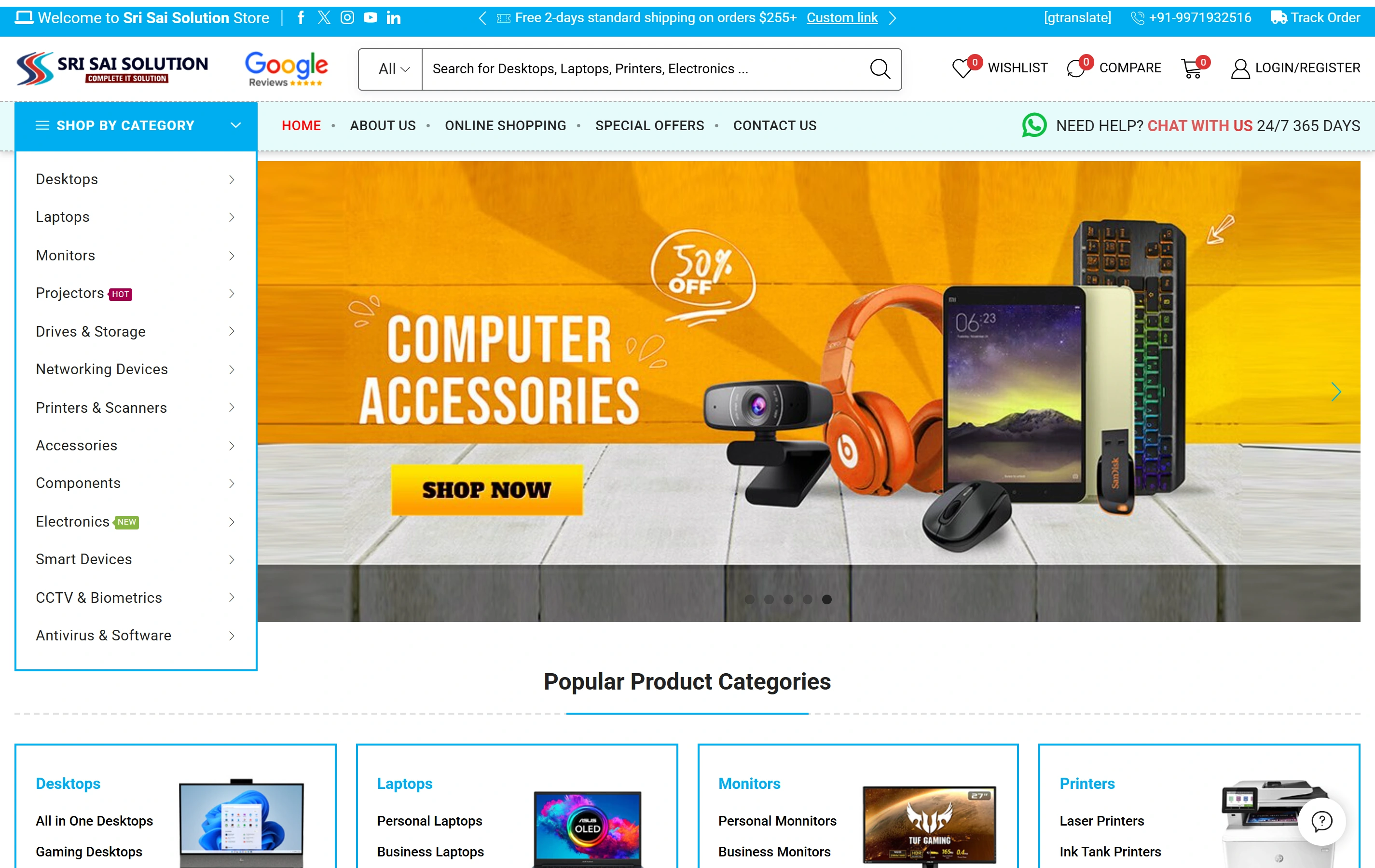
Real website evidence for product discovery.

Sri Sai Solution is a documented Softglimmer electronics ecommerce website with product categories, catalogue search and online shopping. It illustrates a real product information journey. The portfolio does not identify a React or Next.js implementation, and it does not prove the editable selection workflow proposed here.

Electronics catalogueA focused retail offering
Product discoveryDifferent ways to find a product
Shopping experienceStorefront presentation
Sri Sai Solution websiteSri Sai Solution

Project questions.

Does the project require a new application?

Not automatically. We inspect the current interface, state handling and backend before choosing the scope. A focused component change may resolve the task. A larger migration needs its own reasons, preserved functionality and acceptance plan rather than being inferred from a request for React development.

How is a saved edit distinguished from a visible edit?

The application needs an agreed persistence rule and confirmation from the system that stores the information. The interface should reflect the observed result and show a useful unresolved or failed state. A changed label on the screen alone is not evidence that the server has stored the new value.

What does the Ranchi product owner review?

The owner confirms selection, correction and persistence behaviour using representative tasks. Our Ranchi team prepares the interface and implementation for review, with remote feedback where useful. Existing branding, integrations and the source of product information remain explicit inputs throughout the agreed work.