
Skip to content
Website design and development for San Diego

Build the website. Help people find what matters.

Softglimmer designs and develops business websites for San Diego teams, from content planning and visual design to responsive pages, editing controls and an agreed launch. We can build a first site or improve an existing one around the customer’s questions. Delivery is remote from our Ranchi studio, with clear content responsibilities, review stages and practical contact paths.

View website work
Clear service information and a proportionate route through the content.
  1. 01

    Explain the service

    Make useful information readable.

  2. 02

    Connect the content

    Choose understandable browsing routes.

  3. 03

    Review the release

    Check editing and contact journeys.

An example journey, shaped around your requirements.

Plan the information, design and development together.

A visitor needs to recognise the business, find a relevant explanation and understand the next step. We can organise the company, service, work and contact pages around those needs, then develop the responsive website and content controls that support them. The homepage is one part of that commission, not its entire scope.

The brief may call for a concise first website, a useful addition to an established site or a redesign. We review the approved material, useful URLs and working functions before proposing what changes. A small site can provide straightforward navigation without site search. A larger public information library may justify an explicitly scoped search feature alongside its browsing routes.

Content planning, custom design, development, enquiry functions and launch preparation are selected in the proposal. Online transactions, private records or application workflows require their own requirements. We distinguish essential website work from optional features so the first release can be assessed as a complete, usable public journey.
A website scope that covers the whole visitor journey.

Agree which deliverables, page types and connections are included before work begins.

01

Content and page structure

Identify the business offer, audience questions and appropriate page set. Map the important links and establish who supplies and approves the information.

02

Responsive visual design

Develop the visual direction with real content, readable hierarchy and consistent navigation. Inspect representative service, project and contact pages across agreed screen sizes.

03

Website development

Implement the templates and agreed interactions, with clear states and meaningful links. Optional functions receive their own requirements and acceptance tasks.

04

CMS and media controls

Provide the agreed fields for service copy, projects, images and metadata. Explain draft review, publication, routine editing and the selected recovery arrangement.

05

Useful contact routes

Define the enquiry fields, receiving owner and accurate acknowledgment. Review errors and the agreed receiving boundary, with calls or WhatsApp included where appropriate.

06

Release and search foundations

Prepare agreed page titles, descriptions, canonicals, sitemap entries and migration decisions. Review the rendered website and hand over content, technical and continuing responsibilities.

Choose discovery features around the actual content.

Site search is an optional website feature, not a requirement for every business or an AI knowledge system.

01

Start with useful browsing

For a small collection, clear navigation, service overviews and related links may be enough. Inspect the intended questions before adding another control. A search box should not be used to excuse pages with unclear names or missing explanations.

02

Define the public search collection

If search is useful, agree which public pages and approved fields it covers, how results are described and when content changes appear. Private files, customer records and unreviewed sources are outside that website scope unless separately specified.

03

Include an understandable empty result

Show what was searched and offer an appropriate next step, such as changing the phrase, browsing services or making a general enquiry. Any synonyms or promoted links require an editorial owner; the website should not manufacture a matching answer.

Keep the content useful after it has been published.

Page names and summaries should help people decide what to open, whether they arrive through navigation, a shared link or optional search. Agree the relationship between the visible page title, its short description and any search-specific fields. An attractive result card still needs an accurate destination.

For an included search feature, rehearse adding or amending an approved public page and review when the change becomes discoverable. Define how a removed page stops appearing. A small site without search still needs an editing demonstration and a review of its navigation and related links. Record technical dependencies and content responsibilities in the handover.

Review a working website with representative content.

Use dated America/Los_Angeles and Asia/Kolkata invitations for San Diego reviews. Agree feedback windows and a person authorised to consolidate decisions.

  1. 01

    Define the first release

    Bring the current site, brand material and real customer questions. Select the essential pages and identify any optional feature needing further scope.

  2. 02

    Design the core pages

    Review the visual system with service information, project content and a contact route. Where search is selected, include result and empty-result views.

  3. 03

    Build and inspect

    Implement the agreed website, review ordinary CMS changes and follow the contact journey. Check the selected content-discovery routes and preserved destinations.

  4. 04

    Launch and demonstrate

    Approve the release checklist and receiving ownership. Explain content updates, technical care and the boundaries of any optional provider-backed feature.

An optional example: visitors still use an older service term.

Imagine a business with an established public resource library. It now describes a service with a newer term, while visitors still search using a familiar earlier name. The result page shows nothing and offers no route into the current explanation.

If search is included, the team can review whether the old phrase remains a truthful synonym, then maintain an approved relationship to the relevant current page. If the meanings differ, a plain explanation or browsing link may be more accurate than treating them as interchangeable. Review the empty-result route as well as a successful search.

This is a hypothetical public-website example, not a San Diego engagement or evidence of private search, automatic semantic matching or an AI answer feature.

Documented website journeys to inspect.

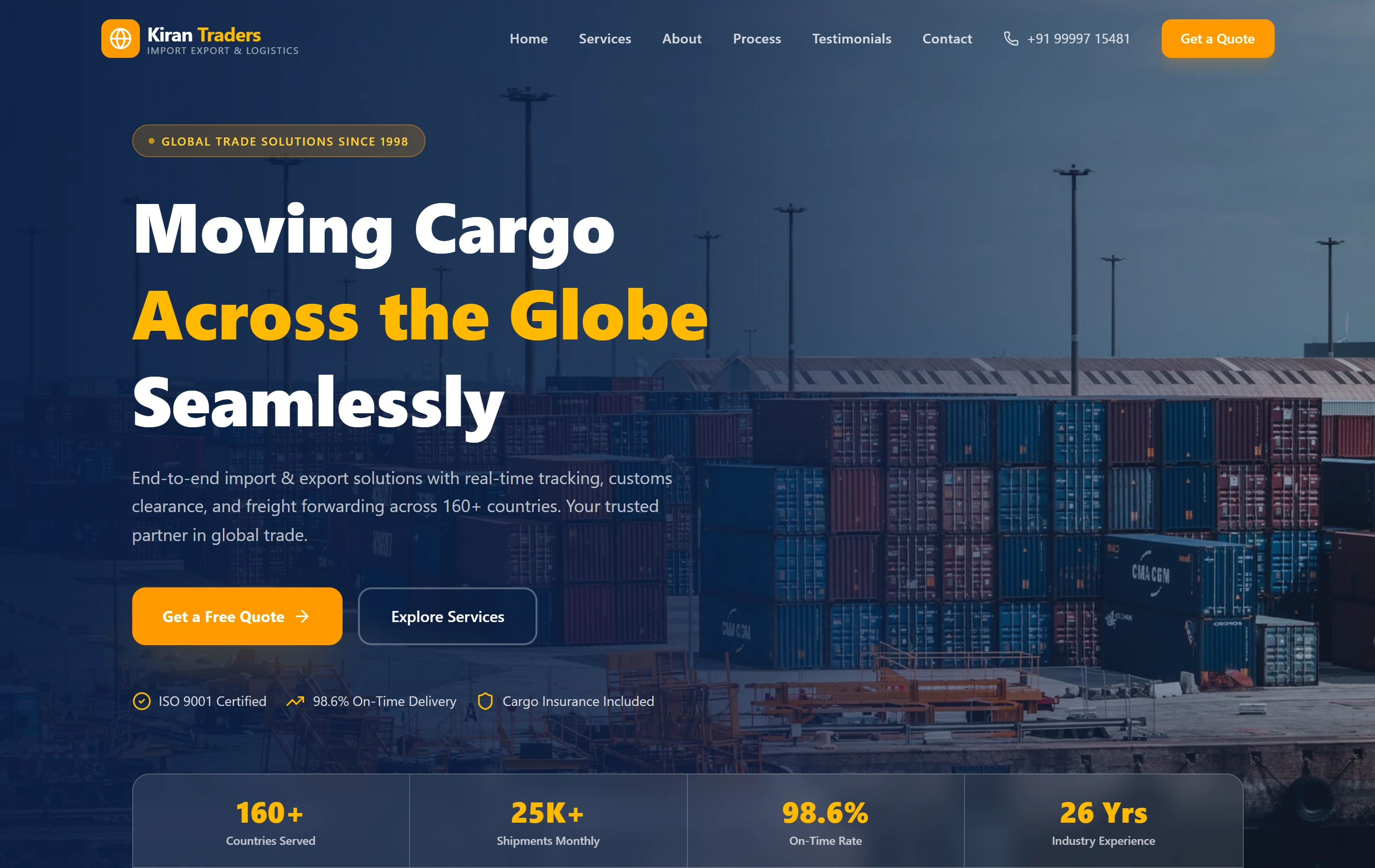
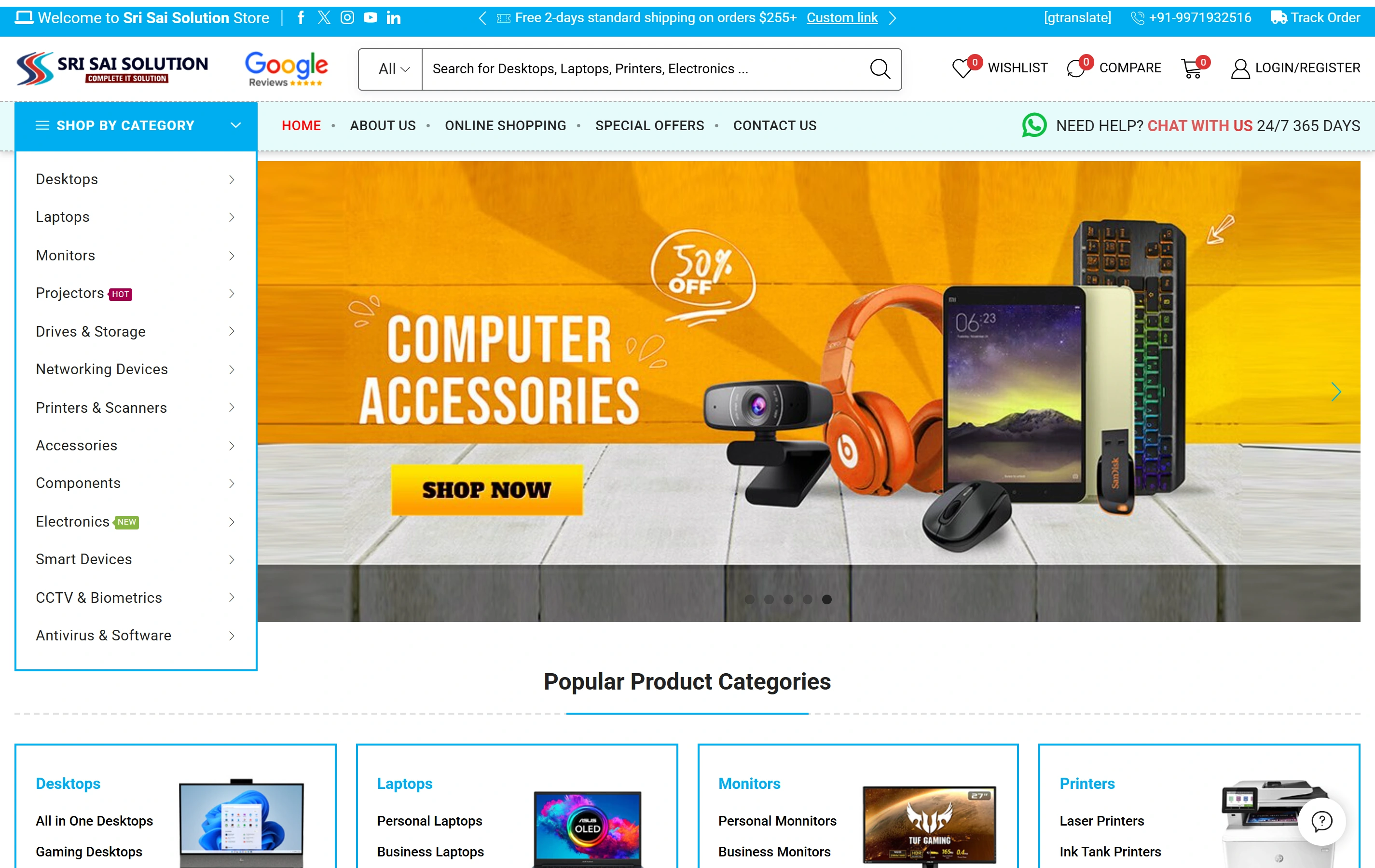
Kiran Traders presents service-led B2B information and a procurement enquiry path. Sri Sai Solution presents product categories, catalogue search and online shopping. These public website references do not establish San Diego clients, the proposed synonym handling or a private search integration; their documented scopes remain distinct.

Questions before starting the San Diego website.

Do you have a San Diego office?

Our studio is in Ranchi, India. We can discuss remote delivery with your San Diego contacts through scheduled reviews and written approvals. This service-area page does not describe a local office or client relationship.

Can we commission a small website without search?

Yes. Clear pages, navigation and relevant links can be sufficient. We scope the website around the offer and content, then consider search only when it supports a genuine discovery need.

Is a search feature included automatically?

No. Its collection, matching behaviour, refresh process, result states and dependencies need to be agreed. Provider-backed services and any recurring costs are separate proposal decisions; ordinary site search does not imply private or AI knowledge access.

Will the new website be editable and ready for search engines?

The agreed CMS and technical foundations can include editing, page metadata, canonicals and sitemap entries. We demonstrate the update routine and review the launch. Publication does not guarantee that Google indexes a page or awards a particular ranking.