
Skip to content

Give readers a coherent page. Give editors a useful structure.

Softglimmer offers WordPress and CMS development for San Diego businesses through remote delivery from Ranchi. We connect content planning, responsive design, implementation and everyday publishing tasks in one website brief. The structure matters as much as the desktop arrangement: information that belongs together should remain understandable when the page becomes a single reading sequence.

Explore the scope
A public website and a content model its next editor can use
  1. 01

    Plan the information

    Identify the entries, relationships and page purposes.

  2. 02

    Build the templates

    Use representative material across the selected layouts.

  3. 03

    Rehearse an update

    Check the editor task and the resulting public page.

An example journey, shaped around your requirements.

Choose a publishing system around the actual content and team.

Begin with the information visitors need and the ordinary changes your editors make. We review representative service, project or resource material before deciding the content types, reusable sections and degree of layout freedom. A new website, improvements to an existing setup and a platform migration need different inputs and responsibilities.

The selected scope can include information architecture, responsive visual design, WordPress or CMS implementation, initial content work, agreed functions and launch preparation. Templates should support realistic variations: a long instruction, a missing optional image or another section added later. Connections, required extensions and accounts are assessed for the actual environment rather than assumed from the platform name.

For a migration, identify useful material, media and established addresses before planning their treatment. The receiving editor needs an understandable preview and publication routine. The technical handover also names who maintains hosting, licences, updates and recovery. Clear content structure is one part of a complete working website commission.
A neat pair of columns becomes a confusing list on a phone.

Hypothetical example: a page shows three actions in the left column and their explanations in the right. When that arrangement becomes one column, all three actions appear before any explanation. The visual pairing the desktop reviewer relied on is lost. The content model and template need a sequence that keeps each action with its own explanation.

Model the related content before choosing its column treatment
  1. 01

    Identify the pair

    Keep each instruction and its explanation as a meaningful unit.

  2. 02

    Design the sequence

    Choose an order that makes sense without visual proximity.

  3. 03

    Rehearse the edit

    Add another unit and inspect the resulting page.

Illustrative template review, not a San Diego incident or an accessibility certification.

Make the reading sequence a publishing decision.

The editor controls and public template should express the same approved structure.

01

Store the relationship

Where the content repeats as action-and-explanation pairs, consider an entry or section pattern that keeps those pieces together. Separate unstructured columns may make future editing harder to understand.

02

Keep a sensible linear order

Choose what a reader should encounter first, next and afterward. Review the actual implemented order as well as visual placement; colour, position or connecting lines alone may not explain a relationship.

03

Allow real variation

Use a longer explanation and an entry with an additional relevant link. The pattern should accommodate the agreed information without forcing an editor to invent layout tricks.

04

Give changes a useful preview

Let the editor inspect the relevant page after adding or rearranging an entry. New content types or substantially different layouts can remain separate design work.

Specify the public site and the means to maintain it.

The final proposal names the pages, content entry and functions included, together with your team's supplied inputs.

01

Information and page plan

Define the audience, page purposes, useful headings and the information needed for each task. Assign factual approval and missing material.

02

Content model and editing patterns

Plan recurring fields, relationships and ordinary changes with the people who will maintain them.

03

Responsive visual templates

Design representative pages using real titles, text and media, with a meaningful sequence across the selected layouts.

04

Website implementation

Build the selected WordPress or CMS setup, templates, controls and included functions. Review dependencies and access through their owners.

05

Migration and journey acceptance

Where needed, review transferred content and addresses. Inspect the agreed editor, resource and enquiry tasks on the implemented site.

06

Publishing and care handover

Demonstrate an ordinary update, explain technical boundaries and provide agreed access and guidance for continuing work.

Add a fourth instruction using the controls the team will receive.

For the hypothetical page, ask the editor to add one action and its explanation, then preview the result on the agreed wider and narrower layouts. Read the page in its implemented sequence without relying on two-column alignment. Follow any related control or link through the same order. The exercise establishes whether the content relationship is usable, rather than merely whether the new text can be entered.

Include the people and evaluation methods appropriate to the project. A phone screenshot, a large-font control or a well-formed heading alone does not establish complete accessibility. The scope can define further review where needed. The handover should explain the supported content pattern and how to request a genuinely different layout.

Review the editor experience alongside the website.

Use dated America/Los_Angeles and Asia/Kolkata invitations. The content owner and intended editor should have clear review tasks.

  1. 01

    Inspect and choose

    Share the current website or brief, sample pages and recurring updates. Agree a useful build or improvement scope.

  2. 02

    Model and design

    Review content units, page hierarchy and templates using realistic variations.

  3. 03

    Build and practise

    Implement the selected setup and rehearse an ordinary edit, preview and publication.

  4. 04

    Release and hand over

    Check the important public paths and explain editing, access, technical care and further-change responsibilities.

A documented website to review.

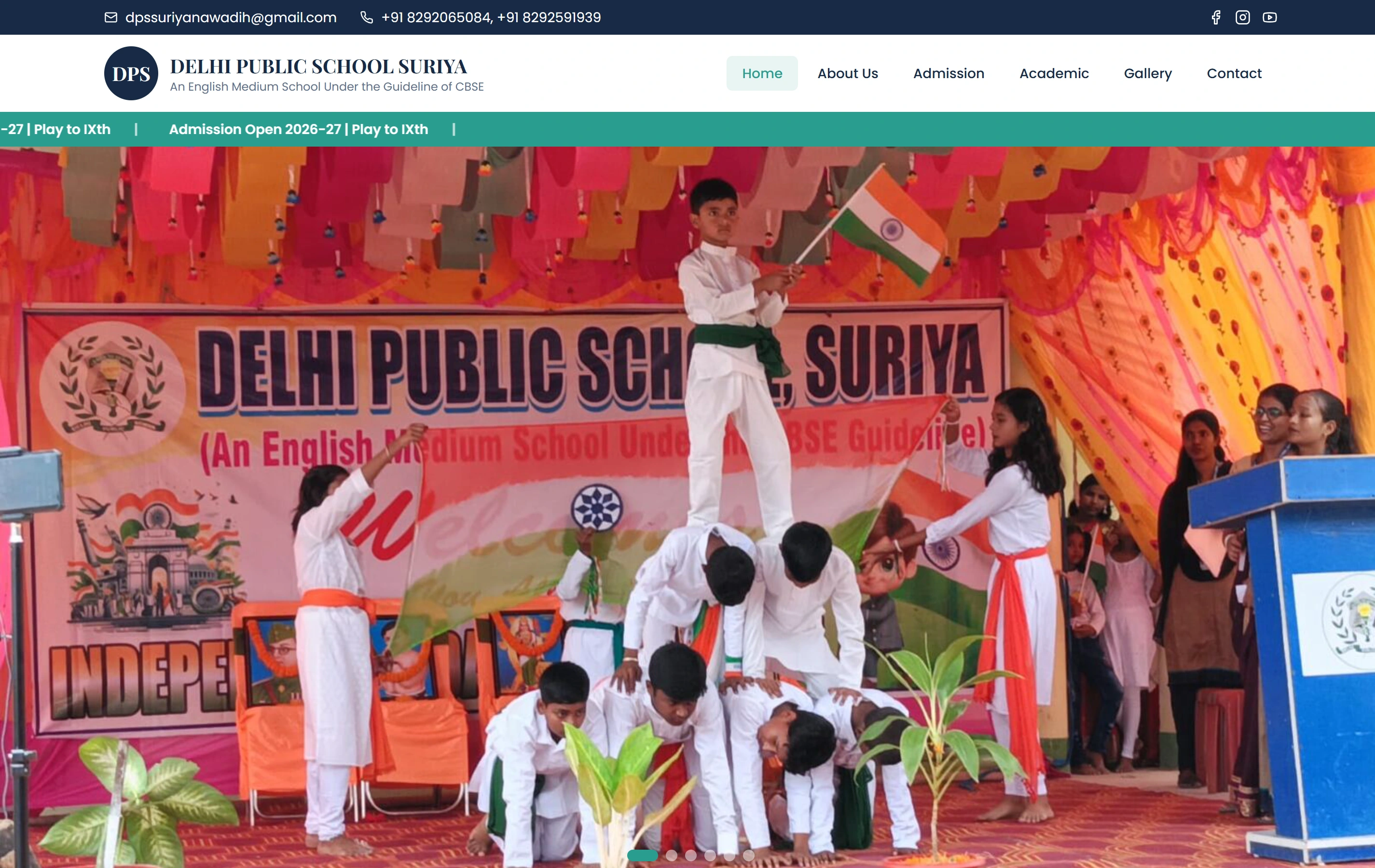
Delhi Public School, Suriya: A mobile-friendly school website presenting programmes, campus information and a simple admissions journey for parents. Use it as a public website reference. It does not establish the hypothetical behaviour, a local client, a particular CMS, native app or backend delivery, or a measured result.

AudienceParents
ContentProgrammes
ActionAdmissions
Delhi Public School, Suriya websiteDelhi Public School, Suriya

Questions about the website and publishing work.

Do we need a particular page builder?

Not by default. The publishing tasks, design requirements and existing environment guide the choice. We assess structured fields, blocks or other suitable controls around representative updates.

Can the same content use different desktop and phone arrangements?

Yes, where the chosen implementation supports the agreed layouts. The underlying meaning and sequence should remain understandable, and the actual result needs review with real content.

Can our current content and useful URLs remain?

They can be included in a preservation and migration plan. We identify what stays, what changes and which addresses need an intentional treatment before replacing the existing arrangement.

Who looks after the website afterward?

The agreement names the content editor, technical owner and support route. Ordinary publishing, maintenance, external accounts and new development have explicit responsibilities.