
Skip to content
UI & UX Design for Sydney

Make the next choice easier to understand.

Softglimmer designs websites, applications and business interfaces for Sydney teams. We connect user tasks, information structure, interaction and visual design, then prepare the agreed guidance for implementation. Our studio is in Ranchi, India; discovery, prototype reviews and handover are delivered remotely with your product and business owners.

Explore the service
Start with the task and carry its meaning through the design.
  1. 01

    A clear user task

    Understand the decisions behind the interface.

  2. 02

    A realistic prototype

    Explore choices and meaningful alternative states.

  3. 03

    A usable design handover

    Explain patterns, behaviour and implementation questions.

An example journey, shaped around your requirements.

Commission a coherent experience, not a disconnected set of screens.

A useful brief describes the person, the task and the reason the current journey needs work. Existing feedback, business processes and research can inform that discussion when their source is understood. We identify what is known, what needs a product decision and what should be evaluated before proceeding.

The engagement can cover discovery, information architecture, wireframes, interactive prototypes, responsive visual design and a reusable interface system. It can improve an existing journey or define the first experience for a new product. The proposal names the tasks, representative screens, important states and handover outputs.

Design and implementation may be commissioned together or separately. A prototype helps discuss an interaction; it does not implement account permissions, pricing calculations or record storage. The optional commercial-summary exercise below illustrates one decision within a wider design service.
Choose a design engagement that matches the problem.

01

Improve an existing journey

Review its available evidence and current behaviour before deciding the extent of change. Clearer language, a better information sequence or a missing alternative state may matter more than replacing every screen.

02

Shape a new product experience

Agree the first useful task, audience and operating constraints. Explore structure and interaction through representative flows before expanding into a large screen library. Keep unresolved business rules visible to their owners.

03

Create a usable interface system

Inventory recurring patterns and identify where their behaviour differs. Define components, content rules and responsive states that support the actual product, with guidance for reuse and justified exceptions.

Agree the decisions and artefacts the team needs.

Outputs follow the commissioned tasks and the evidence available for reviewing them.

01

Discovery and task definition

Gather relevant context and approved business rules. Map people, goals, constraints and unresolved questions, with a clear account of the research or review activities included.

02

Information architecture and content guidance

Organise the information and navigation around what people need to decide. Define meaningful labels, relationships and important instructions using representative approved content.

03

Wireframes and interactive prototypes

Explore the agreed journeys and alternative outcomes. Demonstrate how choices, correction and review fit together without treating a simulated response as implemented functionality.

04

Responsive interface design

Develop hierarchy, typography, spacing and controls for the agreed layouts. Include longer content, small screens and relevant interaction states alongside the ordinary completed example.

05

Components and behaviour guidance

Describe reusable patterns, their states and appropriate use. Record which decisions belong to business logic or implementation so the handover does not conceal unfinished requirements.

06

Evaluation and implementation handover

Use the agreed review method and retain findings with their context. Prepare design files, decisions and acceptance guidance, then resolve implementation questions within the contracted scope.

Be clear about what a review can establish.

A stakeholder walkthrough, expert inspection and a study with representative users answer different questions. Define participants, tasks and review methods before describing work as user research. Findings should stay attached to the version and circumstances examined.

Include keyboard use, readable content and relevant access needs alongside visual design. Any formal testing target requires its own agreed scope. Bring developers into discussions about real data and platform limits; a design file alone cannot certify the working product.

Turn review decisions into an understandable handover.

For Sydney–Ranchi reviews, use dated Australia/Sydney and Asia/Kolkata invitations and nominate a person to consolidate decisions.

  1. 01

    Understand the task

    Inspect supplied material and the current journey where available. Establish users, intended outcomes, constraints and who can approve the business facts.

  2. 02

    Explore structure and interaction

    Review alternative approaches with realistic content. Settle the information sequence and key choices before refining every visual detail.

  3. 03

    Develop and evaluate

    Prepare the agreed interface system and important states. Review the design using the chosen method, recording findings and the decisions that follow.

  4. 04

    Support implementation

    Hand over files, behaviour notes and unresolved dependencies clearly. Include the agreed review of implemented journeys so questions reach the responsible person.

An optional example: the summary mixes different charging periods.

Imagine someone reviewing a service plan. A one-off setup charge and a recurring service charge sit under a single unqualified total, while an optional extra appears without a clear selection. The person cannot tell what is due now or what repeats.

Using business-approved amounts and rules, a prototype can distinguish the initial payment, the recurring period and deliberately chosen extras. Review the same meaning before and after a choice changes. Real calculations and charging require separate implementation. This is a hypothetical interface example, not a Sydney client result or a statement of Softglimmer’s prices.

Keep the important meanings when the design becomes software.

A useful handover explains why a control exists, how it changes the task and what an outcome means. Include representative text and exceptions rather than relying only on a polished ideal screen. Identify who approves later product decisions and how the team asks for a new pattern. Implementation review should examine the agreed behaviour, not only visual resemblance.

Review a real service-information website.

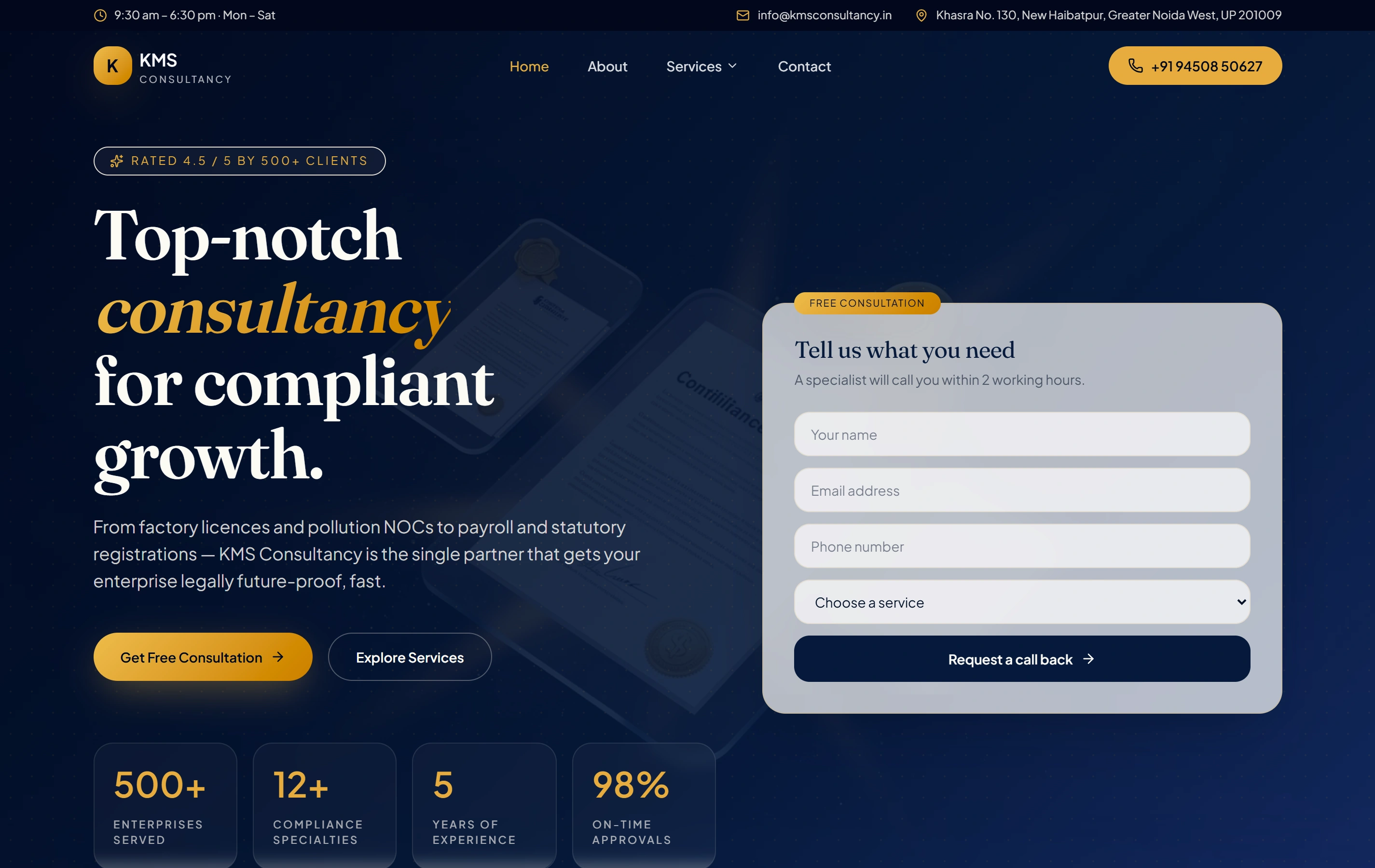
KMS Consultancy’s website organises consultancy services and an enquiry journey. Its project page offers a public reference for discussing how words, hierarchy and choices introduce an offering.

Questions before a UI and UX project.

Can design be commissioned without development?

Yes. Define the design outputs, implementation team and handover responsibilities together. If development is also required, it should have an explicit scope rather than being inferred from the prototype.

Will the work include user research?

It can, where appropriate participants, tasks and access are available. The proposal distinguishes actual research from an internal walkthrough or expert review, including what each activity is intended to establish.

Do we need a full design system?

The useful size depends on the product and its repeated patterns. An initial engagement may define a focused set of components and states, with a clear route for later additions.

Can you improve a few important screens first?

A bounded journey can be a sensible starting point. Include its entry, decisions, alternative states and completion so the revised screens still form a coherent task rather than isolated visual updates.