Choose a landing page when one campaign brings a defined audience to one offer and one clear next action. Choose a broader website when buyers need to explore services, compare options or investigate your business. Often, the best answer is both: a focused campaign page supported by a navigable website.
Here, a campaign landing page means a page designed around one principal action, such as requesting a quotation. A website connects pages serving several needs. In Google Analytics, “landing page” has a different meaning: the first page visited in a session, including a homepage or article. [1] This landing page vs website guide concerns the campaign decision, not that reporting label.
Start with the buyer’s task, not page count
The following table is editorial judgement, not a performance benchmark. Choose the smallest structure that fully supports the task. A single page that hides essential information is too small; a sprawling site that makes a straightforward quotation difficult is unnecessarily complicated.
| Decision factor | Landing-page fit | Website fit | What to check |
|---|---|---|---|
| Campaign intent | One audience, offer and action | Several needs or exploratory visits | Can you state one buyer task? |
| Proof requirements | Relevant evidence fits together | Detailed capabilities and several examples | What must buyers verify? |
| Qualification | A few questions establish fit | Different requirements need different routes | Which answers change follow-up? |
| Navigation | One main route with supporting links | Comparison and investigation across topics | Which links help the decision? |
| Service breadth | One promoted service or package | Several services or a catalogue | Has the visitor chosen an offer? |
| Ongoing tasks | Quotation, booking or registration | Support, documentation or repeat purchases | What happens beyond this campaign? |
| Maintenance capacity | One offer can stay accurate | A wider information set can stay current | Who owns updates and enquiries? |
Match the destination to the campaign promise
For paid ads promoting one service, a dedicated page can continue the promise more directly than a general homepage. But every campaign does not need a new build. An existing service page may already explain the offer, provide evidence and support the next step. A homepage can suit a brand-led campaign whose visitors want a company overview.
Use a category or capabilities page when visitors still need to choose between services. Use a dedicated campaign page when that choice is already clear. The campaign page can sit within your existing website, sharing its business identity and linking to deeper information. It need not replace a catalogue, support area or company pages.
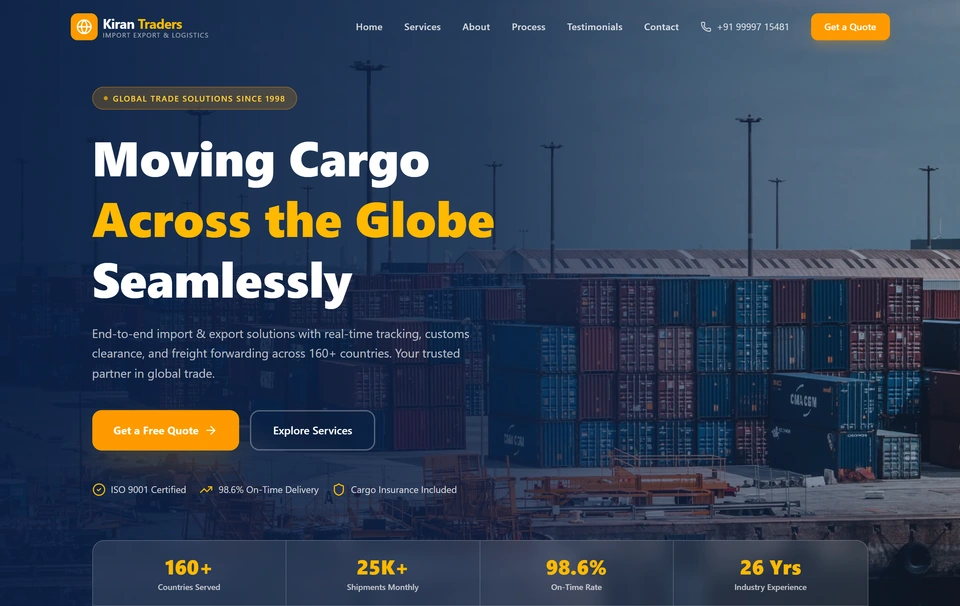
Keep the proof and navigation buyers need
Google’s helpful-content guidance highlights trust, evidence of expertise and background about the publishing organisation. [2] Applied here, that suggests retaining business identity and credible supporting information. It does not prove a conversion uplift. Focused need not mean short: a complex purchase may require a substantial page before a buyer feels ready to enquire.
- Relevant evidence: Use actual product or project photographs and genuine customer evidence, with permission.
- Capability boundaries: Explain what you supply, where you operate and important exclusions.
- Process: Show what happens after an enquiry and what the buyer needs to provide.
- Business verification: Keep company details, contact information and privacy information accessible.
HubSpot describes navigation menus as a way to organise pages and help visitors find important content. [3] That supports discoverability, not a universal rule about conversions. Consider a restrained header, section anchors on longer pages and links to company or capability information. Removing every exit may remove distractions, but it can also remove reassurance. Treat that trade-off as something to test.
Ask questions that change the next step
For each form field, ask: “What decision will this answer change?” Location may establish serviceability; requirement and quantity may establish feasibility; timing may affect capacity. Leave proposal-stage detail for later unless it changes routing now. Fewer fields may produce more submissions without producing more useful opportunities.
W3C’s forms tutorial recommends requesting only necessary information and providing accessible labels and instructions. [4] Clearly identify required fields, explain unfamiliar requirements and make errors understandable. Separate a valid enquiry—a genuine, usable submission—from a qualified opportunity that meets your agreed business criteria. For related follow-up planning, see /insights/lead-automation-checklist.
Hypothetical example: a Pune packaging quotation campaign
Assume a Pune corrugated-packaging SME has a small website and wants quotation enquiries from manufacturers within its delivery area. This is a planning example, not a client account or reported result. The proposed choice is a campaign page within the website, because the offer is specific but buyers may still investigate the supplier.
- Offer: Custom corrugated packaging for manufacturers in the area the business actually serves.
- Evidence: Real packaging photographs, accurate production capabilities and a permitted project example if available.
- Action: Request a packaging quote, with the review and quotation process explained.
- Fields: Company/contact name, one preferred contact method, delivery location, requirement and approximate quantity.
- Supporting routes: Company information, detailed capabilities, contact details and privacy information.
Staff would qualify enquiries by confirming serviceable location, suitable packaging requirements, commercially feasible quantity and a contact able to discuss the job. These criteria belong to this hypothetical business; there is no invented industry threshold. For a broader “packaging supplier” campaign, a capabilities page may be better because buyers first need to compare packaging options.
Test destinations using qualified enquiries
A useful hypothesis is that the campaign page will produce more qualified enquiries per eligible visitor than the existing destination. Compare destinations concurrently, assigning visitors randomly and keeping returning visitors in the same group where feasible. Keep targeting, offer and follow-up consistent. This tests the whole destination package, not the effect of any single design choice.
- Define eligibility: Specify which campaign visitors enter the test and apply the same exclusions to both groups.
- Agree qualification: Write the criteria and give staff a consistent follow-up process.
- Connect records: Save the assigned variant with each accepted enquiry in an enquiry register or sales system.
- Verify measurement: Check successful submissions, duplicate handling, errors and later qualification before launch.
- Set stopping rules: Agree the smallest worthwhile improvement, sample requirement, maximum duration and qualification window.
- Review mature outcomes: Allow enquiries time to qualify, then compare results and operational checks.

Google Analytics documents generate_lead for lead generation and qualify_lead for subsequent qualification. [5] Check the implementation using its event-debugging tools before sending traffic. [6] A submit-button click is not necessarily an accepted enquiry. Telephone and messaging clicks show intent, but they are not qualified leads without a confirmed conversation and assessment.
Do not choose a winner from an early fluctuation. Low traffic may leave the comparison inconclusive; observed user tasks and sales feedback can still reveal problems, but cannot establish statistical superiority. Later tests can isolate navigation, proof placement or one field. HubSpot’s testing guidance recommends changing one variable at a time to clarify cause and effect. [7]
Choose a focused page, a website or both
Complete the campaign sentence, identify essential proof and supporting links, and name who will maintain the content and handle enquiries. Then decide whether your existing destination already does the job. If a dedicated page is justified, Softglimmer’s /services/landing-page-design outlines that option. For a wider brief, use /insights/website-project-brief. Commissioning a new page is not the only useful outcome.
The official sources explain trust, navigation, accessible forms, measurement and testing. They do not establish that landing pages universally outperform websites. The recommendations here are practical inferences: match the structure to the buyer’s task, preserve verification routes and judge results by useful enquiries rather than page count.
Common decision questions
Can a landing page replace a website?
For one narrow offer, it can be an initial presence if it provides enough evidence and business information. It will not replace broader needs such as a catalogue, customer support or detailed service comparison.
Should a campaign landing page have navigation?
Keep routes that help buyers understand or verify the offer. A restrained menu or supporting company links may be enough. Removing unrelated choices is different from blocking access to useful information.
Do I need a dedicated page for every paid campaign?
No. Use an existing page when it matches the promise, answers buyer questions and supports the action. Build a dedicated page when the existing destination cannot serve that campaign clearly.
Sources & further reading
Use the original guidance when checking details or planning implementation.
- Google Analytics: Predefined reports ↗
- Google Search Central: Creating helpful, reliable, people-first content ↗
- HubSpot: Set up site navigation menus ↗
- W3C Web Accessibility Initiative: Forms tutorial ↗
- Google Analytics: Recommended events ↗
- Google Analytics: Set up events ↗
- HubSpot: Run an A/B test on a page ↗
This research-assisted guide uses the primary sources linked above. Examples are illustrative unless explicitly identified otherwise. Check original documentation when implementing changes.