
Skip to content
Ahmedabad · School Website Development

Give families a clear view of the school and the next step.

Softglimmer designs and develops school websites for Ahmedabad teams through remote delivery from our Ranchi studio. We organise programme information, campus details, admissions routes and ordinary school updates into a coherent public experience. The commission covers content planning, responsive design, development, agreed editing controls and a practical release. Your school supplies the facts and the people who can approve them.

Explore the commission
An informative public website and a maintainable school publishing routine
  1. 01

    Understand the family journey

    Separate programme research, admissions and everyday information.

  2. 02

    Build with real school content

    Design readable pages and practical publishing controls.

  3. 03

    Prepare the school team

    Review useful tasks and demonstrate routine updates.

An example journey, shaped around your requirements.

Design around the different reasons families visit.

A prospective family may be comparing programmes and looking for a useful admissions conversation. A current family may need a notice, a practical contact or an approved resource. The public website should make both journeys understandable without treating every update as the main homepage message. Discovery reviews those audiences, the school’s material and the questions its staff actually handle.

The selected work can include information architecture, visual direction, responsive templates, programme and campus pages, announcements, resource presentation and enquiry forms. We plan the content relationships and editing controls together. The people maintaining the website should be able to update the agreed information without recreating layouts for each ordinary announcement. Content entry, document preparation and migration have stated responsibilities.

An existing admissions or school-management platform is inspected before a connection or replacement is proposed. The public site can explain and link to an approved destination without claiming to operate the process behind it. Where a separately scoped portal or integration is useful, its users, accounts and record ownership need their own requirements. A clear, complete public website remains a worthwhile initial project.
Agree the information structure with the people who use it.

These are project decisions for the school, rather than assumptions made from a generic education template.

01

Programme and campus structure

Identify which offers need their own explanation and how shared information is reused. Include meaningful differences in the intended family journey, not a page for every label.

02

Admissions and contact destinations

Name where each approved action goes and which team answers it. Explain any transition to an existing external system in the words families need.

03

Public content and permissions

The school approves programme facts, images, achievements, public documents and required disclosures. Identify the reviewer and the material appropriate for public use.

04

Editing and continued ownership

Choose the routine updates staff will make, their review process and the support needed for a substantial change. Demonstrate the selected controls before handover.

A hypothetical working example

The right programme page should lead to the right conversation.

Hypothetical example: a school offers two programmes whose admissions enquiries go to different teams. A family reads one programme page on a phone and chooses its enquiry action. A general contact form then loses the programme context and leaves staff to reconstruct the question. The design review follows each programme into its approved next step. The school decides whether the destination is a shared form carrying a clear programme choice, a separate contact or an existing application service. We review the visible labels, carried context and receiving information together. This example is about the coherence of the programme journey; it is one part of a complete school website commission.

Connect the programme explanation with its actual next step
  1. 01

    Explore the programme

    Show the school-approved information and relevant practical details.

  2. 02

    Choose the next step

    Identify the destination and the purpose of the request.

  3. 03

    Receive useful context

    Let the responsible team understand the selected programme.

Illustrative family journey. The school supplies its real programmes, destinations and admissions instructions.

A considered website and a publishing arrangement staff can use.

The proposal states the pages, functions, content work and handover included.

01

Audience and content plan

Map prospective and current-family tasks, programme relationships, practical information and current source material. Identify missing inputs and approval owners.

02

Responsive design system

Review representative programme, information and update pages with real copy and approved imagery. Include useful phone navigation and understandable contact actions.

03

Implemented public website

Develop the scoped templates, navigation, forms and supporting views. Confirm what is editable and how shared information appears across relevant pages.

04

Organised resources and updates

Provide the selected announcement and document patterns, with clear titles and context. Preserve useful existing material and review any changed public addresses.

05

Representative acceptance checks

Follow the agreed family and staff tasks through the actual website. Inspect form outcomes, linked destinations and a realistic correction or content update.

06

School editorial handover

Demonstrate ordinary publishing, assign account responsibilities and supply the agreed guidance. Explain the route for technical support and wider changes.

Prepare the content before deciding how much of it to publish.

Bring the current website, prospectus or programme information, active public resources and the questions families ask. Identify what remains useful, which material is being replaced and who can confirm it. Supply approved logos, photographs and factual descriptions with the publishing permissions the school requires. Gaps stay visible in the plan so the design is not filled with invented achievements or testimonials.

Choose a representative programme, a practical campus-information page and an ordinary update for the first review. Include the intended editor and admissions contact. For the hypothetical example, check both programme journeys and the information staff receive. The review should establish whether families reached the intended destination, not infer an admissions decision from a form acknowledgement.

Let the school assess complete journeys as the project develops.

Ahmedabad reviews can use dated Asia/Kolkata sessions with our Ranchi studio and consolidated feedback from the school’s nominated approver.

  1. 01

    Discover and organise

    Understand audiences, current material and existing systems. Agree the first website scope, input responsibilities and written estimate.

  2. 02

    Design with representative content

    Review the structure and visual direction using actual approved material. Resolve the programme and contact decisions before repeating templates.

  3. 03

    Develop and inspect

    Implement the selected pages and editing tools. Follow the family journeys and inspect ordinary staff updates against the agreed brief.

  4. 04

    Release and equip

    Approve the launch and any migration steps. Hand over access, publishing guidance and the continuing care arrangement.

Explore a documented school website.

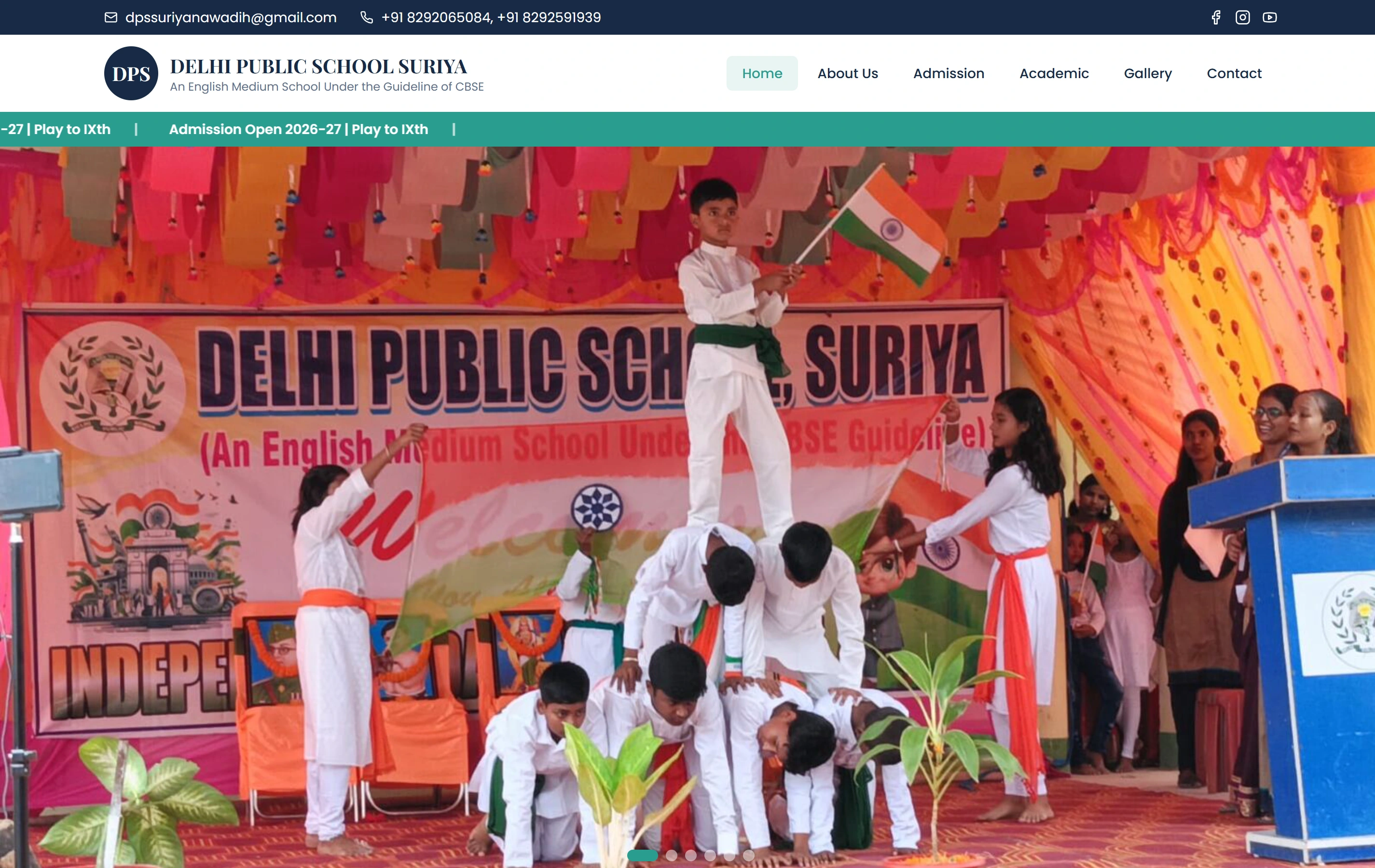
Delhi Public School, Suriya is a documented Softglimmer website presenting programmes, campus information and an admissions journey. Its public content provides a real reference when discussing school information architecture. The programme destinations and editing arrangement for your school are defined and reviewed as part of your own commission.

Questions about a complete school website project.

Can school staff maintain the website?

Yes, where those editing tasks are included in the agreed CMS scope. We plan the fields and reusable patterns around ordinary updates, then demonstrate them with the receiving editor. A new page type or major layout change can need separate design and implementation.

Can you use our present admissions system?

We review the approved public destination and available interfaces before proposing a link or connection. The scope distinguishes the public website from an admissions application, parent portal or school-management system and assigns responsibility for each.

Who prepares the copy, images and public documents?

The proposal assigns writing, preparation, entry and approval. The school confirms its facts, image permissions and required disclosures. We can organise and present the agreed material; the engagement does not invent credentials or replace the school’s own review obligations.

How do we know the website is ready to launch?

Use the agreed representative journeys: find a programme, follow its next step, locate practical information and publish an ordinary update. Review the implemented pages, receiving outcome and changed links with the responsible staff. The authorised school owner then decides on release.