
Skip to content
Business website design for Auckland

Show the work. Explain what it means.

Softglimmer designs and develops business websites for Auckland teams that need a clear offer, credible work examples and an understandable route to contact. We bring page planning, responsive visual design, development, CMS editing and enquiry journeys into an agreed commission. Our studio is in Ranchi, India; your team can review the work remotely with named content and release owners.

View website work
A clear offer, useful evidence and a practical enquiry.
  1. 01

    Understand the service

    Explain the work and who it helps.

  2. 02

    Review genuine evidence

    Put approved images in useful context.

  3. 03

    Start an enquiry

    Give the visitor a clear next step.

An example journey, shaped around your requirements.

Build a site that explains the business beyond its first impression.

An attractive homepage can introduce a business, but a useful website also answers the questions that follow. What does each service include? Which work example is relevant? What should a prospective customer prepare before making contact? We organise those decisions across the agreed pages so a visitor does not have to infer the offer from a gallery alone.

A commission can be a first business site, an extension to an existing site or a redesign. The brief identifies the audience, service distinctions, available material and preferred enquiry route. We can plan service and project templates, responsive layouts, content fields and selected connections around that information. A shop, customer account area or operational application has additional requirements and should be priced as its own scope.

For an existing site, we review useful URLs, approved content, images and working forms before proposing replacements. The content and technical handover matter alongside the visual result: your team needs to recognise what is included, what it can update and what remains dependent on another owner.
Agree the parts that make a complete website.

01

Audience and page plan

Map the main services, company information, genuine work and contact journey. Give each agreed page a purpose and identify the facts or materials your team must supply or approve.

02

Responsive design system

Review typography, navigation, page sections, image crops and contact actions with real content. The same offer should remain understandable on a small phone and a larger screen.

03

Developed content templates

Build the agreed service, project and supporting pages using reusable structures. Template decisions should accommodate ordinary variations rather than forcing every service into the same amount of text.

04

CMS and media controls

Define the copy, images, links and section settings an editor can maintain. Agree preview, approval and recovery expectations, plus the technical settings that stay outside routine content editing.

05

Working enquiry paths

Choose forms, calls or WhatsApp around the actual contact process. Confirm required context, receiving destinations, errors and acknowledgment wording without implying that a request has become an accepted booking.

06

Search and launch foundations

The agreed scope can include descriptive metadata, canonical decisions, internal links, sitemap entries and redirects for changed URLs. Check these alongside rendered pages and the customer journey before release.

Make imagery support a decision.

01

Choose evidence for the service

Collect approved photographs or screenshots and explain what each shows. A visitor should understand why an example belongs with a service. We do not turn a generic scene or attractive photograph into a completed-project claim.

02

Review crops with their captions

A strong landscape image may lose its useful detail in a narrow card. Inspect representative images in the actual layouts and agree the crop, caption and text alternative. Preserve the business meaning when the presentation changes.

03

Use words for the important facts

Services, scope and next steps should remain understandable without relying on text embedded in an image. Content hierarchy and legible page copy help the visitor assess the offer before choosing a contact action.

Let the future editor try the ordinary update.

Name the person who will add a project, replace a photograph or revise a service description. Use those tasks to choose the CMS fields and media workflow. Content supplied once may appear in several layouts, so the editor should understand where an update will be visible.

The handover should demonstrate an approved edit, preview and the agreed way to recover a mistake. Structural changes, provider connections and hosting settings need separate responsibilities. A maintainable first release gives your team practical control without suggesting that every technical decision is a content-field change.

Review content and design together.

For remote Auckland reviews, use dated invitations with Pacific/Auckland and Asia/Kolkata. Agree feedback windows and one person who consolidates the business decisions.

  1. 01

    Prepare the material

    Share the current site, brand assets, service information and genuine project material. Mark missing content and permissions before approving the page plan.

  2. 02

    Review representative pages

    Assess one service page and one work example with actual headings and imagery. Confirm the reusable layout before applying it to the agreed content set.

  3. 03

    Build and rehearse

    Follow important links and enquiries on the selected screen sizes. Ask the nominated editor to make an ordinary update in the review environment.

  4. 04

    Release and hand over

    Confirm remaining issues, account ownership and the reviewed launch conditions. Provide the editing and support notes agreed for the commission.

A gallery can be part of the explanation, rather than the whole explanation.

As an optional illustration, imagine a service business whose project photographs are visually appealing but have no captions. A visitor cannot tell which service is relevant or what the business contributed. A revised project template could pair an approved image with a factual service description and a related enquiry link. This is a website-planning example, not an Auckland client case or a claim that more photographs will produce a particular result.

Real websites with image and information journeys.

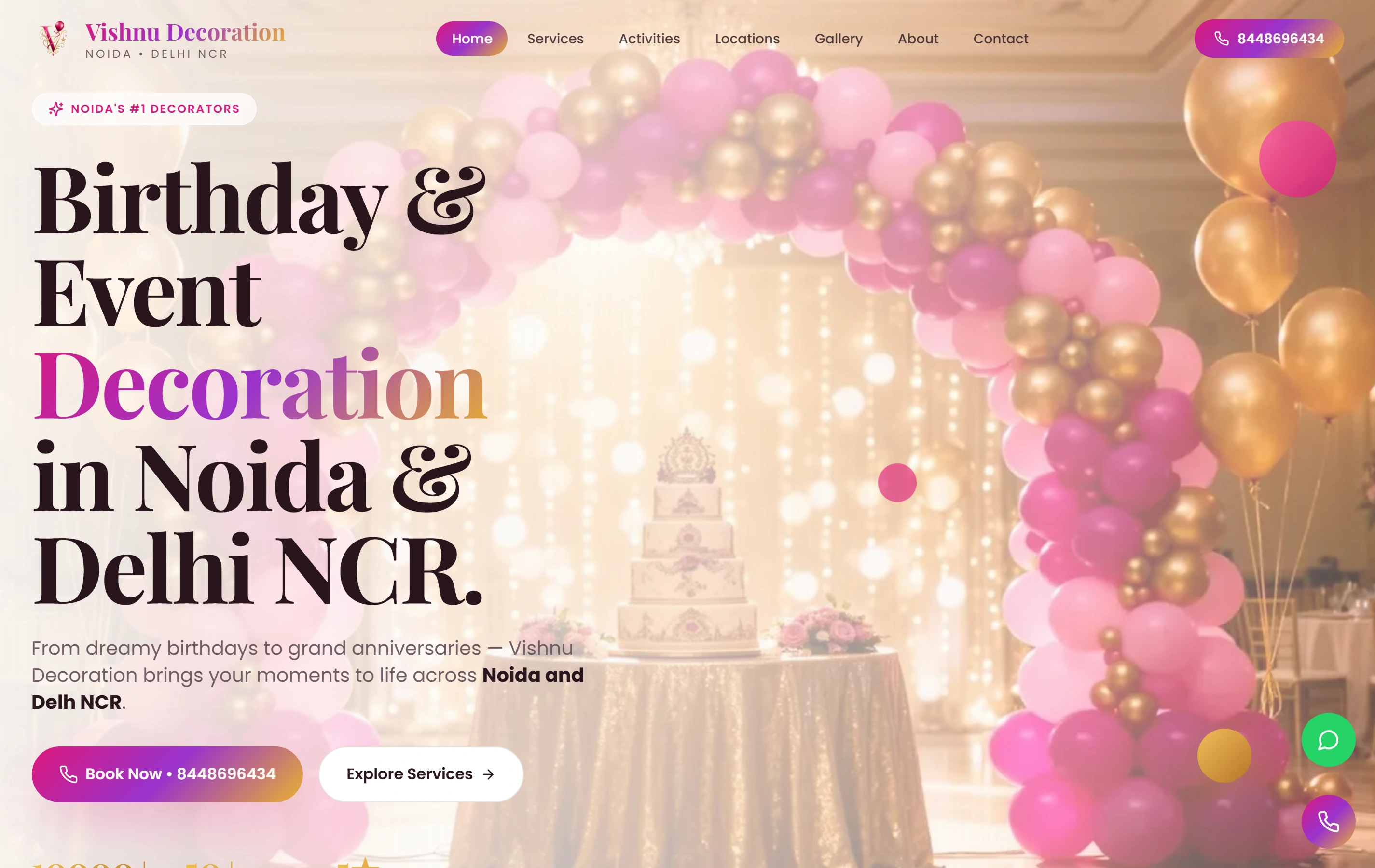
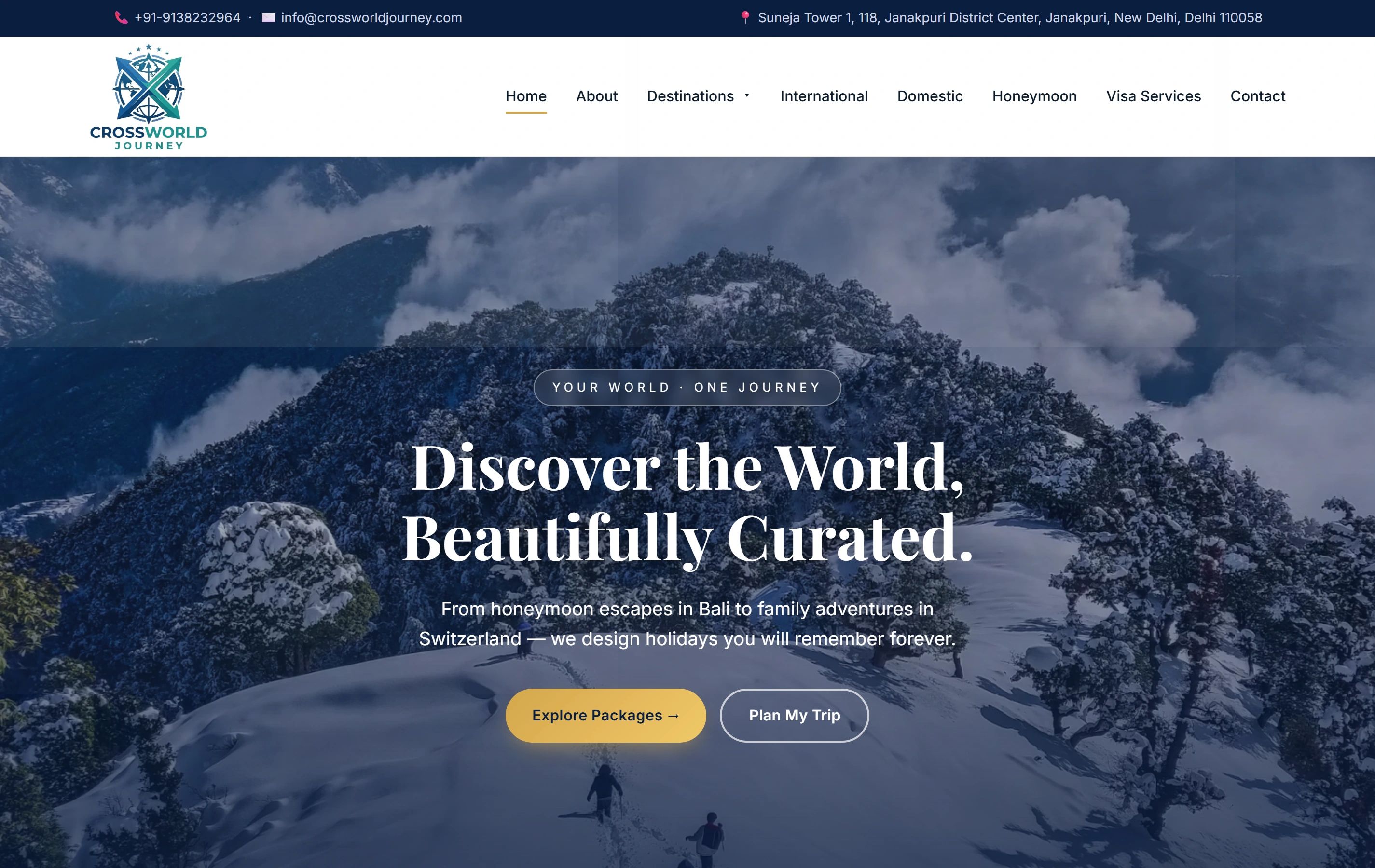
Vishnu Decoration presents themed galleries and a visible contact route. Crossworld Journey combines destination and holiday information with trip enquiry paths. These documented website projects are useful visual and content references. They do not establish Auckland clients or a specific enquiry, revenue or search result.

Questions before commissioning an Auckland website.

Are you based in Auckland?

Softglimmer’s studio is in Ranchi, India. We can work remotely with an Auckland team through agreed reviews and written approvals. This service-area page does not represent a local office.

Can you work with our existing images and content?

Yes. We inspect the available material, usage permission and content gaps before defining the site. The proposal can retain useful assets and identify where fresh photography, revised copy or missing facts are needed.

Will we be able to add more projects?

The agreed CMS scope can include project entries, images, captions and related links. We demonstrate the intended update and preview process. Larger layout or integration changes follow their own technical review.

Does the website include SEO?

Agree the on-page and technical foundations in the scope. Useful pages, appropriate metadata and discovery links support search understanding, but publication does not prove Google indexing or a ranking position. Ongoing measurement is a separate responsibility.