
Skip to content
Digital services for Auckland

Make the next digital project a useful choice.

Auckland teams can work with Softglimmer on websites, ecommerce, software, apps, automation and practical AI. We begin by comparing the task with the work needed to maintain it. Our studio is in Ranchi; discovery, design reviews and delivery can be organised remotely around named decision makers.

Explore our work
Define the first useful release.
  1. 01

    Explain the task

    Describe what someone needs to do.

  2. 02

    Compare the approaches

    Choose the smallest useful scope.

  3. 03

    Plan its care

    Identify who keeps it working.

An example journey, shaped around your requirements.

A new interface is one option, not the starting requirement.

Bring the customer task, the present journey and the part that causes confusion. A website may need clearer service information and an enquiry route. A store needs a purchase journey with fulfilment responsibilities. A customer portal needs identity and authorised records. Those are different commissions, even when the same person uses them.

We can plan a focused improvement or a connected build. Existing content, useful URLs, working forms and approved assets should be inspected before a replacement is proposed. Keep the business outcome in ordinary terms: a visitor finds the right service, a customer sees an authorised update, or a colleague completes a repeated task. Agree how your team will recognise that outcome during review.

The first discussion also identifies what can wait. An optional account area, new app or automated assistant should earn its place through a useful task. It should not become a prerequisite for repairing a public information problem.

Compare the complete job, including the upkeep.

01

What does the visitor need now?

Write one task without naming a technology. Then show what information or action is missing today. If a clear page answers the question, that may be the first release; if the task needs personal records, explain that separate boundary.

02

Which capability needs a separate product?

Accounts, saved activity and device features create support work beyond a public site. Check who can test those journeys and maintain the information. A later phase is useful when it has its own owner and acceptance examples.

03

What can your team keep current?

List content changes, product updates and operating exceptions that happen after launch. Assign an editor or owner to each. A smaller maintained experience can be more useful than a broad release whose information nobody can confidently replace.

A scope that reviewers can assess.

01

A task and content map

The brief identifies audiences, approved information, important existing routes and the action each journey supports. Dependencies and deferred features remain visible alongside the first release.

02

Reviewed design and an agreed build

Design work shows the chosen journeys and content hierarchy. Implementation follows the written scope, including the editing controls and integrations actually agreed, with acceptance examples your reviewers can follow.

03

Release and operating handover

Your team receives the agreed access and editing guidance, a release checklist and named support responsibilities. Maintenance arrangements and later work are recorded separately from the completed deliverables.

An optional account area can wait for a real account task.

Imagine a service business considering a new website and customer app together. Customers currently call to ask what a service includes. Clear public pages may answer that question first. If customers also need individual job updates, discovery can trace where those updates come from and who may see them before a portal or app is priced. This is an illustrative planning example, not an Auckland client case. It is one way to split a commission; your project may need a different starting point.

Use a review rhythm that both teams can follow.

Auckland is in New Zealand; Softglimmer’s office is in Ranchi, India. Use Pacific/Auckland and Asia/Kolkata in dated calendar invitations rather than assuming one fixed clock difference. Agree which decisions need a live discussion and which can be reviewed in writing.

Nominate one person to consolidate business feedback. A review should identify the version, the decision requested and any unresolved dependency. Before release, let the future editor demonstrate an ordinary update and let the receiving team follow a representative enquiry or customer task. That handover makes the agreed scope understandable after the project meetings finish.

Inspect real public website journeys.

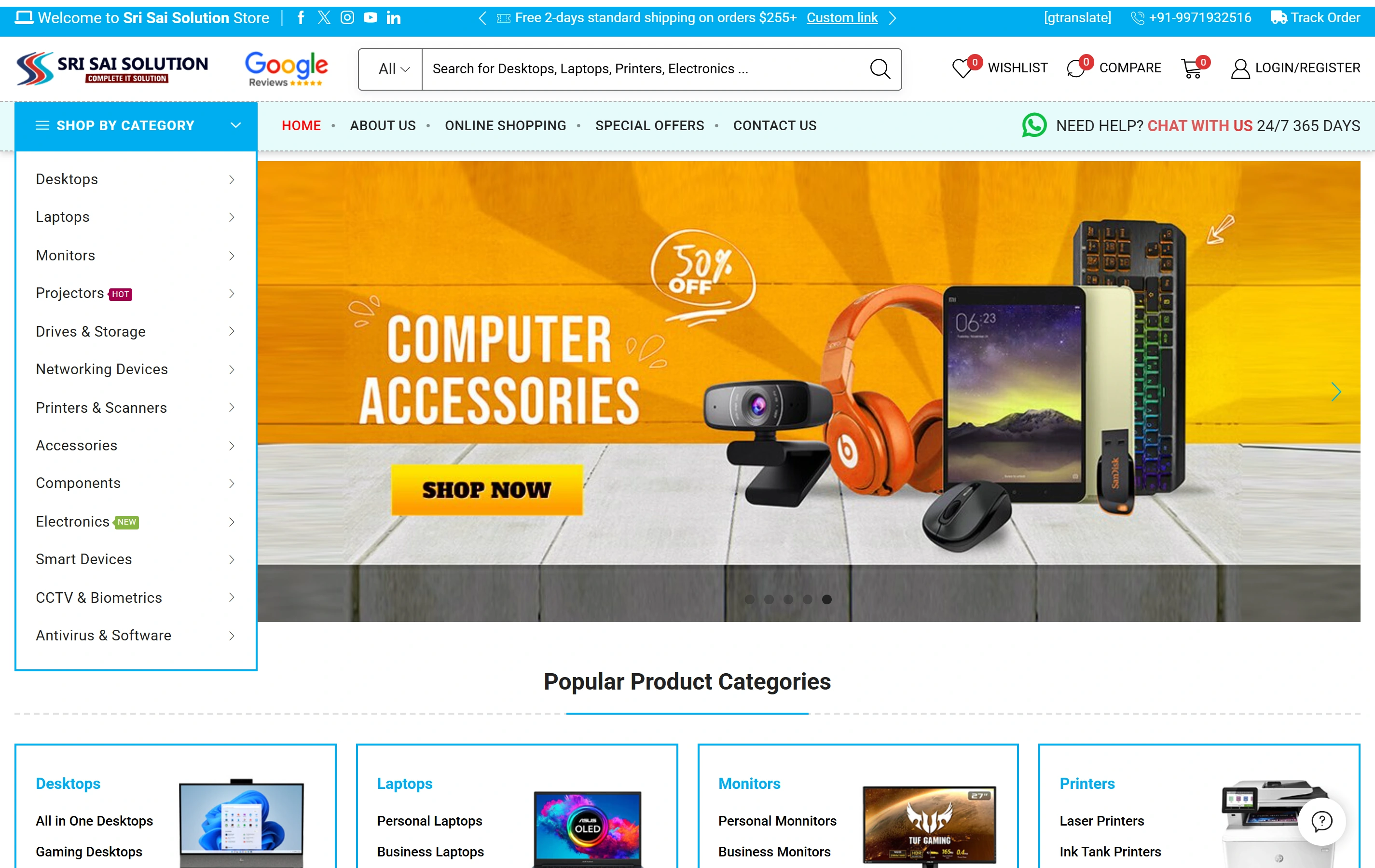
Crossworld Journey presents holiday information and trip enquiry paths. Sri Sai Solution shows product categories, catalogue search and online shopping. These are existing website references for content and discovery discussions. They are not Auckland client claims or evidence that an account platform, mobile app or private integration was delivered.

Questions before commissioning.

Can you work with an Auckland team?

Yes, we can discuss remote delivery from our Ranchi studio. Agree review windows, business contacts and access responsibilities in the brief. This service-area page does not represent an Auckland office.

Should we replace the existing website?

We first inspect what remains useful and what blocks the intended task. The scope may be a focused improvement, new templates or a rebuild. Retention and migration decisions should be explicit before implementation.

Can the first release be expanded later?

Yes, when the later task has a defined owner, dependencies and acceptance examples. Record the boundary now so the first build does not imply unpriced accounts, app features or operating connections.

What should we send for an estimate?

Share your current site, approved service or product information, one representative customer task and the person responsible for decisions. Use sanitised examples for internal workflows and identify any fixed business deadline.