Change a profile once, then review everywhere it belongs.
A profile can appear on its own page, beside a service and in a homepage introduction. Independent copies make a routine role change harder to manage. For Leeds teams commissioning Webflow development, Softglimmer plans the content relationships and approval rules before the layouts. Our Ranchi studio delivers remotely, with a named editorial owner and public checks of the agreed profile journey.
Approved biographies and service-page relationships that editors can review together.
01
Review the profile record
Confirm the approved biography, role and image with its owner.
02
Check linked appearances
Inspect each service and feature that uses the profile.
03
Confirm the published result
Check the public information after the agreed release action.
An example journey, shaped around your requirements.
A hypothetical working example
A role changes while its old description remains beside a service.
Imagine a hypothetical consultancy with several specialists. One person changes responsibilities, but a copied biography still describes the previous role and another page uses an older portrait. The editor needs an approved profile record and a way to inspect its connected appearances. This illustrative workflow makes the information and review decisions visible before implementation.
Choose an authoritative profile
Agree the fields that describe the person publicly: approved name, role, biography, image and relevant service relationships. Decide which fields can be edited independently and which require subject review. Avoid turning a content editor into the source of professional credentials. The team supplies those facts and identifies the person who can confirm them before a change reaches the website.
Keep relationships useful to the visitor
A profile should appear where it helps explain the service or next conversation. A relationship maintained in the CMS can be clearer than duplicated text, but it still needs an editorial rule. Decide what happens when a profile is incomplete, a service changes or the person should no longer appear publicly. A missing relationship should have an understandable page outcome.
Profile review and publication
01
Review the profile record
Confirm the approved biography, role and image with its owner.
02
Check linked appearances
Inspect each service and feature that uses the profile.
03
Confirm the published result
Check the public information after the agreed release action.
Illustrative workflow. Your team approves the final rules and responsibilities.
Before implementation
Agree the relationships and publishing checks first.
Use these decisions to set a reviewable project boundary.
01
Use references for a defined relationship
Webflow reference fields connect a Collection item with an item in another Collection. We can use that model to keep a service page connected to an approved profile, after reviewing the actual field requirements. Multiple people may need a different relationship model. The current plan and editor workflow are checked before the structure is treated as an implementation decision.
02
Separate editing from public confirmation
Webflow saves changes to existing Collection items, while draft status and publishing actions determine what reaches the live site. We write down the intended release route and rehearse it with the proposed editor. A saved biography should not be described as a completed public correction until the relevant website pages have been inspected after publication.
03
Plan a departure or missing profile
Document the result when someone leaves, a role is withdrawn or an image cannot be used. The service page may need another introduction or a general team contact. Review that outcome before removing a record that other pages depend on. Publishing, archiving and redirect decisions are explicit work, with the content owner responsible for approving the public message.
What you receive
A connected profile system with a usable editor handover.
The agreed scope determines the working release and its handover.
01
A reviewed content and relationship map
The map identifies the profile fields, service relationships and shared displays included in the release. It contains examples of a complete profile, a missing image and a changed role. Your editorial owner can check where each answer comes from and what a visitor will see when a relationship changes, before the team commits to repeated templates.
02
A working CMS and page journey
The agreed implementation connects the selected Collections to their relevant public layouts. Editors can maintain the approved fields and review the resulting profile and service pages. We check long names, variable biographies and missing content with actual samples. The acceptance boundary is the maintained journey, including its less complete states, rather than a single ideal profile screenshot.
03
An editing and release record
The handover lists access owners, the approved editing tasks and the route for technical help. It includes a recorded publishing rehearsal and the pages checked afterward. Theme changes, new Collections and continuing content work have defined responsibilities. A future staff change can then follow the same review procedure without depending on the original developer's memory.
Project preparation
Test a profile change through the complete site context.
Prepare the examples with the person who owns the information and working process.
Prepare a real approved biography
Supply one current profile, its approved image and the person who signs off the wording. Remove internal details that do not belong on the website. Include a long name or a different role format if the team genuinely uses one. This gives reviewers meaningful content variations instead of a demonstration record designed to fit every layout.
List the connected public pages
Identify each service, feature and directory where the profile should appear. Describe why the relationship is useful to the visitor. Then inspect the proposed model against that list. A CMS connection can reduce repeated editing, but the acceptance review still needs to establish that the right pages use the right approved information.
Rehearse draft and publication decisions
Ask the proposed editor to change a biography and explain which action makes the reviewed result public. Use the official Webflow publishing reference to distinguish draft, queued and published outcomes. Keep the review small and repeatable. The owner should be able to confirm the live profile and its linked appearance without interpreting a developer's private notes.
Review a profile whose role has ended or whose image is missing. Check the service page, contact destination and any previous link people may have shared. Agree who makes the editorial decision and who implements a technical redirect if required. A departure is a useful acceptance example because it exposes assumptions hidden by complete launch content.
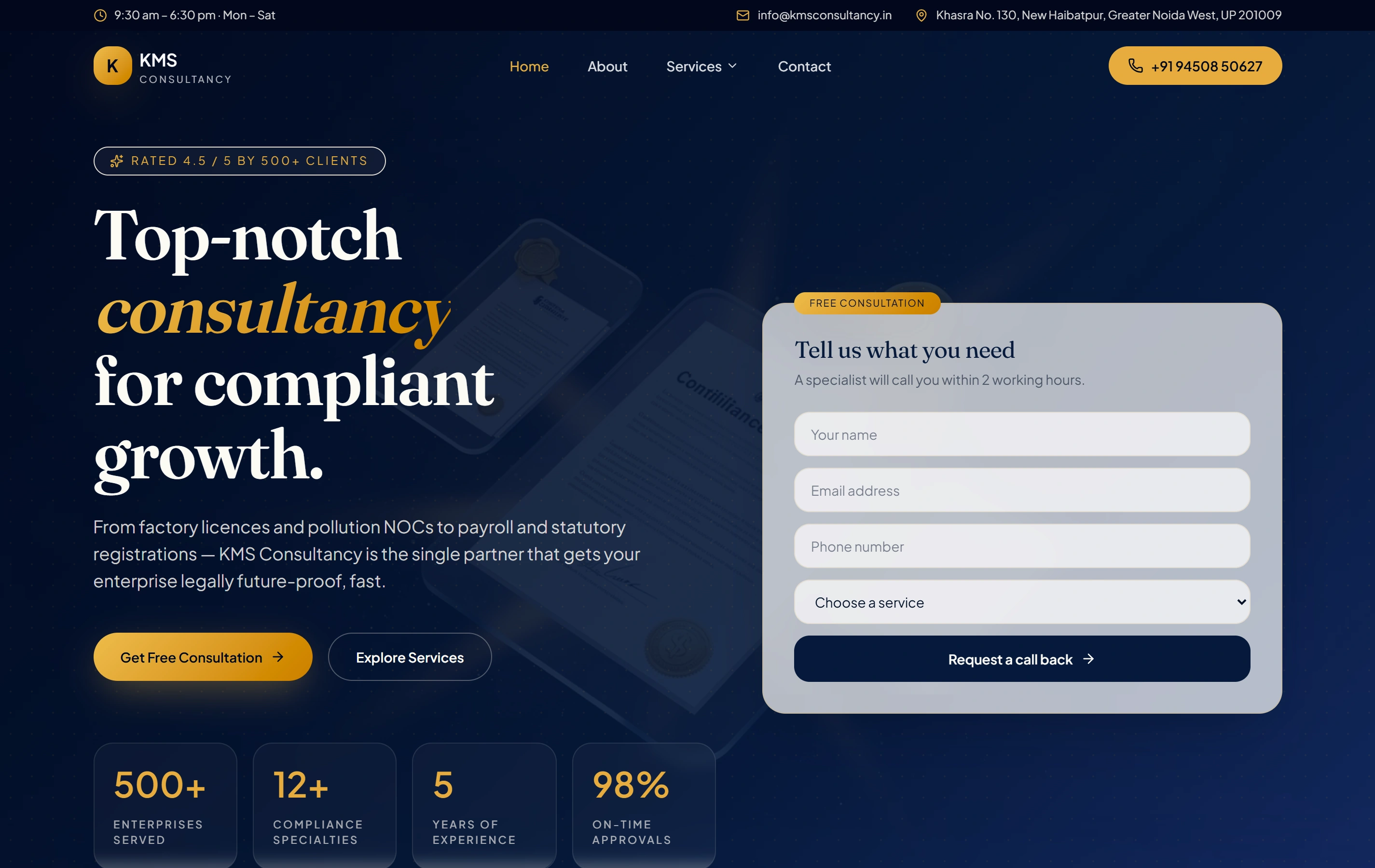
A real website reference for complex service information.
KMS Consultancy is a genuine Softglimmer website organising a compliance service catalogue and enquiry journey. Its screenshot illustrates the documented public website. The profile-relationship example remains a separate hypothetical scope; its CMS model and implementation need their own review and acceptance.
Practical answers about scope, ownership and remote review.
Can the same person appear beside several services?
Yes, with an appropriate content model. We review single or multiple references against the actual rule, including missing or withdrawn profiles. The relevant platform limits and editorial responsibilities are checked before the relationship is included in implementation.
Will changing a biography immediately change the live website?
That depends on item status and the publishing action. The handover states the intended process, which we rehearse with your account. We record the saved change and verified public correction separately so the team can review content before release.
How does a Leeds team approve this remotely?
Your editorial owner supplies approved profiles and combines feedback. Our Ranchi team shares the working journey and written acceptance results between planned reviews. The remote delivery plan makes factual approval, access and technical support responsibilities clear.
Continue with a useful planning route.
Explore the related guide, service and project preparation material.