Mobile App Development for Lucknow Learning Journeys
Make learning progress understandable after an interruption.
A module that is published, a file that has finished downloading and an activity saved to a learner account are three different states. A mobile app should explain each one. Softglimmer helps Lucknow teams plan mobile app development around an agreed learner journey and the content operations behind it. Work is delivered remotely from our Ranchi studio. We define the first release, supported devices and review cases with your team before promising offline behaviour or adding assessments and certificates.
Published learning content, account context and understandable progress handovers.
01
Open the released module
Identify the content version available to the signed-in learner.
02
Continue after interruption
Explain download and session recovery without guessing.
03
Confirm the saved activity
Distinguish local progress from the account’s accepted record.
An example journey, shaped around your requirements.
A hypothetical working example
The phone stops a download halfway through a module.
Consider a hypothetical adult-training organisation that publishes short learning modules for enrolled users. A learner begins a download, loses connectivity and returns after an editor has released a corrected module. This is an acceptance scenario, not a completed Softglimmer learning app or a claim about Lucknow clients. The product needs to answer which version is usable, whether the download completed and what activity belongs to the current account.
A release is more than a newer file name
Give the approved module an identifiable version and decide how corrections affect users who already started it. A minor text correction may be treated differently from a change that alters the learning task. The content owner needs a reviewed replacement rule. The learner needs a clear message about what remains available and whether any previously recorded activity still applies.
A completed download is not completed learning
Show whether the chosen module is ready to open on the device. Keep that status separate from reading, practice or assessment completion. If progress cannot yet reach the server, describe it as pending according to the agreed rule. The interface should not award a confirmed outcome merely because a transfer finished or a screen was visited.
Published learning content, account context and understandable progress handovers.
01
Open the released module
Identify the content version available to the signed-in learner.
02
Continue after interruption
Explain download and session recovery without guessing.
03
Confirm the saved activity
Distinguish local progress from the account’s accepted record.
Hypothetical planning example. Final requirements are agreed with your team.
Decisions before design
Set the account, content and recovery rules together.
These decisions make an interrupted session reviewable.
01
Define the offline boundary
Android’s offline-first guidance distinguishes local and network data and describes conflict resolution during synchronisation. Specify which resources can be read without connectivity and which actions require confirmation. For this example, saved local activity may wait for an acknowledged sync. Decide how the server handles activity from two devices or an older module version; a generic last-write rule may not match the learning task.
02
Keep activity with the intended learner
Specify what happens on sign-out, account switching and shared devices. A queued progress update needs enough context to remain attached to the correct account and module. Decide what a user can recover before deleting a local copy. Access removal, account recovery and resource permissions need server-side rules as well as friendly messages on the phone.
03
Test return from ordinary interruptions
Android’s core-quality guidance includes preserving expected state when an app moves between foreground, background and other interruptions. Review the learner returning after a phone lock or process restart, not only immediately after tapping Back. Show a useful recovery state when content is unavailable. The device test should establish what resumes and what requires a deliberate retry.
An agreed delivery scope
A bounded mobile release with explicit learning states.
Deliverables follow the selected platform, resource format and reviewed operating rules.
01
A learner and module state map
The reviewed map identifies released content, device availability, started activity and confirmed progress. It includes an interrupted transfer and an account change, with the expected display and responsible system written beside each. This becomes a shared reference for content editors, support staff and the people reviewing the app.
02
One supported module journey
The first implementation can cover sign-in, access to the selected module type, the agreed download behaviour and its progress state. Other resource formats, live classes, payments or certificates remain separate scope decisions. Your team reviews real example content on the supported devices rather than judging readiness from a dashboard illustration.
03
A release and support handover
The handover identifies app and backend access owners, approved content replacement, controlled testing and the support procedure. It records hosting and maintenance responsibilities and who prepares any store submission. Store review and distribution depend on the platform process; a finished interface alone is not evidence of approval or reliable operation.
Prepare the project
Prepare examples that make the state rules visible.
The people owning content and learner support should review these together.
Provide a corrected module
Bring an approved sample and a hypothetical replacement that changes a meaningful part of it. State whether started activity should remain valid, be reviewed or restart. If the organisation has no established rule, list it as a decision. Do not allow the development team to silently invent an assessment policy from the order of uploaded files.
Choose device-level acceptance checks
List supported platforms and an ordinary device for each, then exercise interrupted download, background return, sign-out and resynchronisation. React Native’s testing documentation notes that JavaScript component tests do not cover underlying native platform behaviour. Whichever stack is chosen, include an appropriate release-build device review for the actual resource and recovery journey.
Define how a learner reports a problem without sending unnecessary personal material. Useful context may be the module version, visible state and a reference to the authorised account. Give support a way to distinguish a content issue from a pending sync. Agree escalation and retention responsibilities; diagnosing an issue should not require copying private learner data into a public chat.
Documented website work
Documented education website work, with a clear scope boundary.
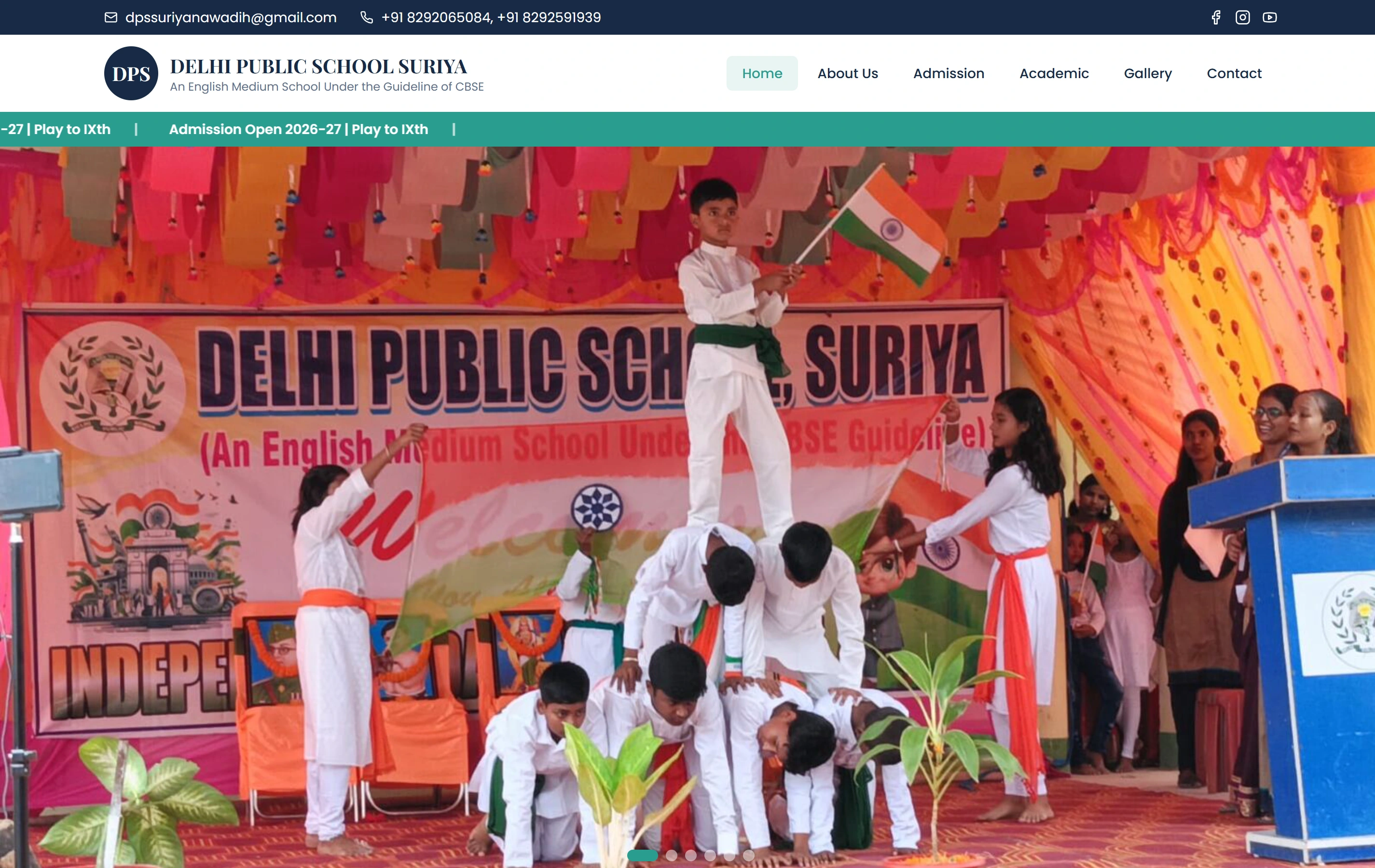
Our Delhi Public School, Suriya portfolio entry describes a mobile-friendly school website for programme information, campus content and admissions. The screenshot is genuine website work. It is not evidence of implemented learner accounts, offline modules, an assessment app or saved learning progress. Those capabilities need their own design, development and acceptance checks for your project.
Questions about the first mobile learning release.
Can every feature work offline?
Offline support is a scope decision, not a blanket promise. A downloaded resource may remain readable while account changes, current permissions or some submissions require connectivity. We agree the supported actions and how pending work is described before choosing the data and synchronisation approach.
What happens when a learner uses two devices?
The product needs a rule for joining activity to the account and module version. Conflicting or repeated updates require an intentional resolution. We review examples with your content owner; the newest timestamp is not automatically the right completion record for every learning task.
Will the app include certificates and assessments?
Only if those features and their rules are agreed in scope. Reading or downloading a module should not imply an assessment result or certificate entitlement. We can first deliver a bounded resource journey and separately review assessment content, scoring, permissions and the acceptance process.
How do reviews work with a Lucknow team?
Softglimmer works remotely from Ranchi. We agree review sessions with your content, operations and technical contacts, then capture decisions in writing. You can judge the actual learner journey on the selected devices. This service-area page makes no local-office or previous Lucknow app-client claim.
Continue planning
Review the surrounding decisions.
Keep the mobile journey connected to its content and support responsibilities.