Skip to content
WhatsApp Integration Planning for Mumbai Service Enquiries

Let the visitor review the message before the conversation begins.

A WhatsApp contact button can be a useful next step when a visitor understands what the business needs to know. It should also make clear what happens when the message is prepared, opened and eventually sent. Softglimmer plans WhatsApp enquiry journeys for Mumbai service businesses around that visitor control and the team’s actual receiving process. Our office is in Ranchi and project work is delivered remotely through agreed reviews. Discovery begins with the website, the business contact arrangement and any approved platform workflow already in use. The scope distinguishes a straightforward conversation link from a backend integration and an authorised outbound message.

Explore Mumbai
The boundary between a visitor-prepared WhatsApp message, a received conversation and approved business follow-up.
  1. 01

    Prepare useful context

    Build a message around the approved enquiry questions.

  2. 02

    Review and send

    Keep the visitor in control of the conversation.

  3. 03

    Handle the reply

    Name the receiving team and next decision.

An example journey, shaped around your requirements.

A hypothetical working example

The page says an enquiry was submitted, but only a draft message opened.

Imagine a hypothetical Mumbai service website asking for the type of work and preferred appointment period, then opening WhatsApp with a prepared message. The page displays “request received” even if the visitor closes the message without sending it. This is a planning example, not a client case. A useful scope would distinguish preparing the message from the receiving business actually obtaining it, with wording that reflects the evidence available at each stage.

Show the message before opening the channel

Present the approved enquiry context in a form the visitor can review. Explain where the message will go and what the next action does. If the contact journey uses a conversation link, retain a usable fallback for someone who cannot open the intended application. The business should decide what information belongs in that first message.

Describe the observed action honestly

A prepared message is not proof of receipt, and opening a conversation is not an appointment confirmation. The website acknowledgement should reflect the implemented journey. A backend receiving workflow can provide different evidence, but it needs its own inspected account, integration and acceptance scope rather than being inferred from the existence of a WhatsApp button.

Prepared message to conversation
  1. 01

    Prepare useful context

    Build a message around the approved enquiry questions.

  2. 02

    Review and send

    Keep the visitor in control of the conversation.

  3. 03

    Handle the reply

    Name the receiving team and next decision.

Hypothetical planning sequence.

Choose the conversation and follow-up boundary explicitly.

01

Confirm the receiving business identity

Use the contact destination the business has authorised and check it during the agreed acceptance process. Keep the public business name and contact context consistent with the website. The project should not reuse another customer’s account, number or credentials simply because an existing configuration is convenient. Each receiving arrangement needs its own owner.

02

Define the visitor-controlled message

Agree the useful questions and a reviewable message format. A date or period preference should stay a request until the business confirms arrangements. The interface should explain what will open and avoid silently sending the visitor’s information. If the first release uses a link, its completion wording should remain distinct from a verified backend submission.

03

Review permissions for later communication

The current WhatsApp Business Messaging Policy requires respecting requests to stop communications and maintaining accurate business information. Any proposed follow-up also needs the applicable permission and account rules reviewed before activation. This guide defines a project boundary; it does not establish that a particular provider account, message template or live sending arrangement is approved.

04

Plan the human receiving handover

Identify who monitors the destination and how enquiries outside scope are handled. If an automated response is proposed, define when the person can reach a responsible colleague. Keep a record of the action intended and the evidence that confirms it, so the business does not treat a website switch or a prepared message as proof of provider execution.

A contact journey with understandable completion states.

01

Enquiry message brief

The approved questions, destination and message context, with a clear review step before the visitor chooses to send.

02

Website contact implementation

The agreed conversation link or separately scoped receiving connection, with accurate wording and a useful fallback for the first-contact task.

03

Account and follow-up dependency record

The business owner, permission decisions and provider requirements that must be resolved for any proposed platform or outbound workflow.

04

Receiving-team handover

Instructions explaining what the website can observe, what the business must confirm and who responds when a visitor starts a conversation.

Compare the contact actions before discussing automation.

Bring the current website contact journey and the receiving destination authorised by the business. Describe the minimum context staff need to respond. Review a visitor who prepares a message and sends it, one who edits it first and one who closes the application without sending. Those cases help choose honest website wording without requiring a real customer message during development.

If a platform integration is requested, identify the actual business account and the person authorised to review it. Access, provider configuration and live execution remain separate project steps. An existing portfolio contact path is useful design evidence, but it cannot establish that a new account is approved or that an API message has been delivered.

During remote review, the Mumbai owner approves the message purpose and receiving arrangements while our Ranchi team presents the visitor journey. The acceptance record should say whether it proves a prepared message, an opened conversation or an actual received request. Retain that distinction in the handover so future editors do not change a button label into a promise the implementation cannot substantiate.

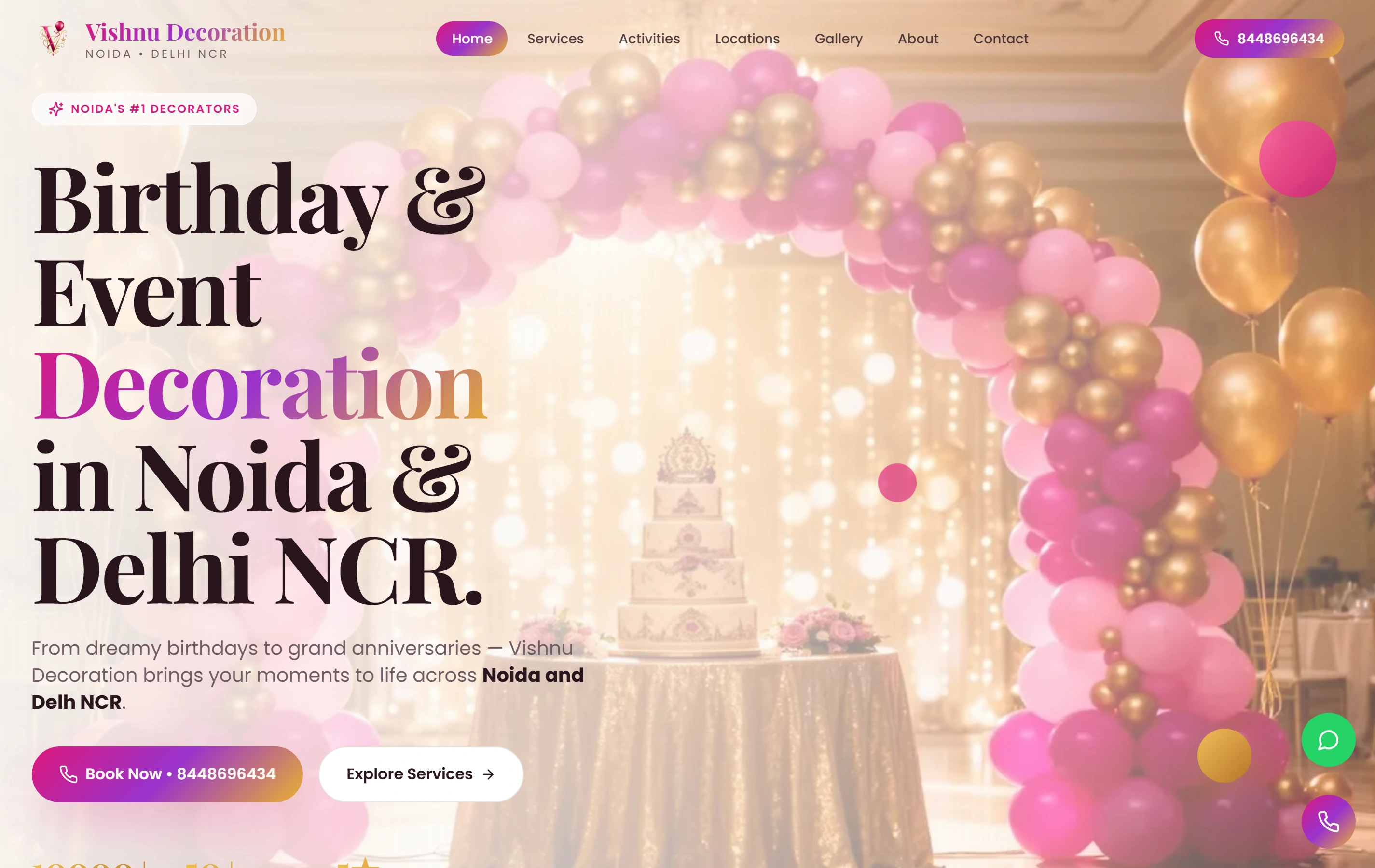
A real website with a direct WhatsApp contact path.

Vishnu Decoration is a documented Softglimmer event-decoration website with themed galleries and a direct WhatsApp booking conversation path. It illustrates a real transition from service browsing to contact. The portfolio does not prove a WhatsApp Business Platform integration, approved message templates, outbound sending or results for a Mumbai business.

ExperienceMobile-first
ContactWhatsApp
FocusService gallery
Vishnu Decoration websiteVishnu Decoration

Project questions.

Does opening WhatsApp mean the business received the enquiry?

A conversation link prepares or opens the visitor’s next action; receipt depends on the message actually being sent and reaching the destination. The website should describe the state it can observe. A separately scoped backend workflow may supply other evidence, but that must be validated on its own terms.

Can follow-up messages be enabled at the same time?

They need an explicit scope, permission review and approved account configuration. The business defines the purpose and receiving expectations, and current provider requirements are checked before activation. Preparing a website message or toggling a setting does not establish that an outbound workflow is authorised or has executed.

Who approves the Mumbai contact journey remotely?

The business owner confirms the destination, message questions and receiving responsibilities. Our Ranchi team prepares the implementation for review. Any provider or sending dependency is recorded separately from the visitor-controlled website flow, and no real message is needed to assess the prepared-message design.