
Skip to content
UI and UX design for Auckland

Make the journey clear. Make the interface consistent.

Softglimmer provides UI and UX design for Auckland teams building or improving websites, apps and business software. We organise the information and interactions around real tasks, then develop a coherent visual system. The commission can cover a focused review, a new journey or a wider redesign, with agreed prototypes and implementation guidance. Work is delivered remotely from Ranchi.

Explore the scope
Agree the work and the responsibilities.
  1. 01

    Understand the task

    Identify users, context and uncertainty.

  2. 02

    Shape the journey

    Review the sequence before visual polish.

  3. 03

    Explain the design

    Hand over states, components and decisions.

An example journey, shaped around your requirements.

Choose design work around a task and a decision.

An interface can look consistent while leaving a person unsure what to do. We begin with the task, the information needed at each point and the consequence of an action. This gives the review a practical purpose beyond choosing a preferred visual style.

A project may improve an existing flow, design a new product experience or establish reusable interface patterns. The scope identifies which users, platforms and journeys are included, what evidence is available and how the design will be assessed. Existing research and support feedback can inform the work; gaps remain visible as assumptions or further discovery needs.

Design-only and design-plus-build are different commissions. A prototype can explain sequence and behaviour without being production software. The proposal should distinguish research activities, design files, component guidance, planned user review and implementation work so your team knows what it is receiving.
Select the engagement that answers the product question.

01

Review a difficult existing journey

Bring the current interface and the problem people report. A focused UX review can identify improvements to navigation, hierarchy, labels or feedback without requiring every screen to be replaced. Prioritise recommendations against the task.

02

Design a new experience

Agree the first-release journey, user roles and implementation constraints. Explore the information structure and interaction sequence before refining the visual system. Keep uncertain rules visible so a polished screen is not mistaken for an approved product decision.

03

Create reusable interface patterns

Inventory the patterns the product actually needs. Define components, states and usage rules that help future screens behave consistently. A useful design system explains interaction and content choices as well as typography, colour and spacing.

Six outputs to make the design usable beyond the review meeting.

01

UX discovery brief

Describe the users, tasks, current evidence and important constraints. Record the problem being addressed and distinguish observed findings from assumptions or questions that still need investigation.

02

Information architecture

Organise navigation, content groups and screen responsibilities around the agreed task. Show how people find relevant information and return to a useful point when their initial choice does not fit.

03

Wireframes and prototypes

Review sequence and hierarchy with representative content. Prototypes for the agreed journeys can show decisions, transitions and alternative states before the team commits to production implementation.

04

Responsive visual interface

Apply the approved brand through clear typography, spacing and controls. Define how important information and actions adapt across selected screen sizes, including longer content and narrow layouts.

05

Components and state guidance

Specify repeated controls and their meaningful states, including waiting, empty results, errors and restricted actions where relevant. Document content and usage rules that support consistent future design.

06

Review and developer handover

Walk through realistic tasks with the agreed reviewers. Document decisions, remaining questions and implementation requirements, keeping prototype behaviour distinct from completed production or backend functionality.

Make the review match the evidence you actually have.

Choose representative tasks and explain what a reviewer should be able to understand or complete. If access to intended users is included, agree recruitment, review method and responsibilities in the scope. Stakeholder feedback is useful, but it should not be presented as a completed user study.

Include the difficult state as well as the preferred path. A form can be incomplete, a result set empty or an action unavailable to the current role. The design should explain what happened and what the person can do next. Implementation constraints and unresolved business rules belong in the handover, rather than being concealed by a smooth prototype.

Connect design review with implementation decisions.

Our Ranchi team can organise remote Auckland reviews using dated Pacific/Auckland and Asia/Kolkata invitations. Nominate the product approver and involve the people who will implement the design.

  1. 01

    Frame the problem

    Share the current flow, intended users and available feedback. Agree the journey, platform scope and design outputs before extending the screen list.

  2. 02

    Review the structure

    Assess information grouping and task sequence with real content. Resolve the important choices before treating detailed visual layouts as final.

  3. 03

    Refine the interface

    Review responsive layouts, repeated controls and alternative states. Keep a decision record so feedback is tied to the version and task being assessed.

  4. 04

    Hand over the behaviour

    Explain the component rules, content needs and open implementation questions. Agree how engineering questions or later design changes will be reviewed after the handover.

An optional example: make an empty result understandable.

Imagine a catalogue interface with several filters. A person removes one choice but cannot tell which filters remain active; the results disappear without an explanation. A prototype could show the active choices, the meaning of the result count and a clear way to adjust or reset the search. The task reveals information and state-design questions, not merely a preferred card style. This is an illustrative design exercise, not an Auckland client, observed usability finding or completed product.

Use a real website to discuss information presentation.

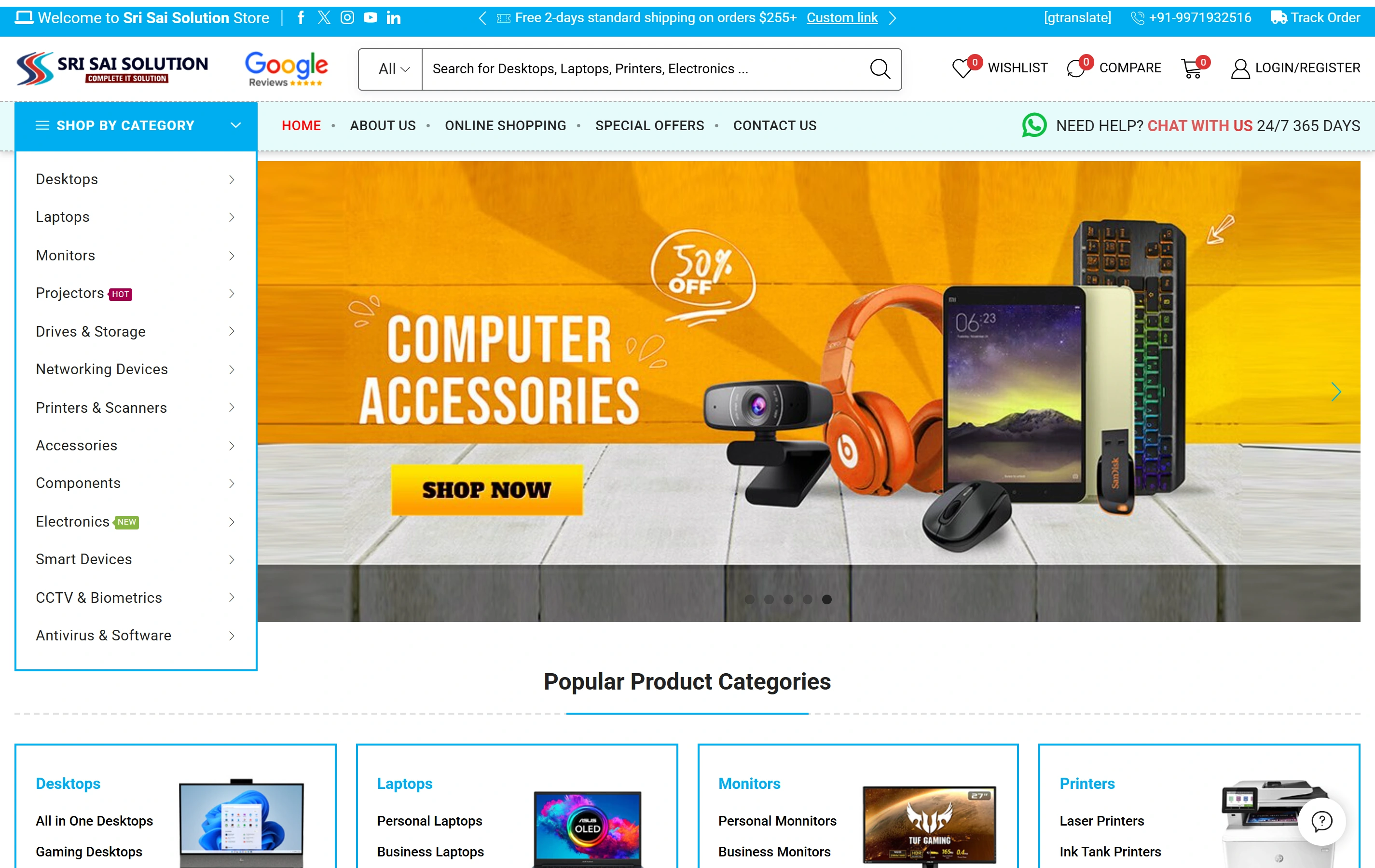
Sri Sai Solution is a documented website with product categories, catalogue search and online shopping. Its public presentation can support a discussion about product discovery. It does not establish an Auckland UX engagement, a usability study, an accessibility certification or a measured improvement in conversion.

Electronics catalogueA focused retail offering
Product discoveryDifferent ways to find a product
Shopping experienceStorefront presentation
Sri Sai Solution websiteSri Sai Solution

Questions before commissioning UI and UX work.

Does UI/UX design include development?

Only when implementation is expressly included. The proposal distinguishes design files, prototypes, component guidance and production code. A clickable demonstration should not be treated as a completed application or integration.

Can we improve one journey first?

Yes. A focused review or redesign can address a defined task and its important alternative states. Agree the evidence, review method and handover so the smaller commission remains useful to the people implementing it.

Will the design include mobile behaviour?

The agreed responsive scope covers the relevant information, navigation, controls and feedback states. Review narrow layouts with real content throughout the design work, rather than treating mobile as an automatic export of a desktop screen.

How do remote Auckland reviews work?

Softglimmer is based in Ranchi. We can agree review windows, named approvers and written decisions with your Auckland team. Bring product and engineering context; no local office, research panel or usability result is implied by this service-area page.