
Skip to content
Denver · Retail & Ecommerce

Build a store your customers can use.

Softglimmer designs and develops retail and ecommerce websites for Denver businesses, connecting product discovery with a buying journey and a practical merchant handover. We can build a first store, improve an existing website or plan a catalogue move. The work includes responsive design, maintained product content and the ordering or enquiry functions you choose. Our Ranchi studio works remotely with your catalogue and operating teams.

Explore the commission
A useful catalogue, a complete customer journey and a team ready to run the store
  1. 01

    Shape the range

    Give shoppers useful routes into products and buying information.

  2. 02

    Build the store

    Connect the chosen buying action with the merchant’s work.

  3. 03

    Practise ownership

    Make product changes and everyday store tasks understandable.

An example journey, shaped around your requirements.

The complete engagement

Start with the range, the customer and the merchant.

Bring the products you want people to discover and the work your team needs to do when someone buys or asks a question. We map how customers enter the range, what helps them make a decision and which action completes their task. The result is a page and function plan you can discuss with the people managing products, customer messages and fulfilment.

A complete project can cover catalogue organisation, visual design, product and collection templates, content preparation, the selected buying journey and the connections needed behind it. We agree an initial range and the level of entry or migration work. Representative content shapes the design: a long product name, a category with few items and a product needing more explanation deserve attention alongside the easiest example.

For an existing store, discovery also identifies the addresses, content, accounts and working functions to retain. We can compare a focused improvement with a rebuild. The chosen platform and implementation follow that review, with the merchant’s ordinary editing and order-handling work included in the decision.
Choose what the first store needs to do.

These decisions shape the design, development effort and continuing responsibilities.

01

Organise for shopping

Choose category names, product relationships and useful search or filters from a varied catalogue sample. Separate public browsing language from internal stock codes. Decide which images, dimensions, options and supporting explanations each template needs, and who can supply them.

02

Set the customer’s next action

Describe what someone can complete for the products in the launch range. A purchase path needs the agreed basket, payment and order information. An enquiry path needs the selected product context, a useful question and a receiving contact. Each action should have a clear outcome.

03

Select the platform and connections

Compare the required content controls and buying process with the tools already in use. Shopify, another content-management system or a custom approach can be considered. Required payment, inventory, delivery or customer-management connections are inspected with their account owners before inclusion.

04

Define the editing workload

Agree whether staff will maintain a modest range directly or prepare a larger import. Name the launch content, reusable page patterns and any custom interaction. Photography, writing, recurring platform costs, paid tools and continuing catalogue support receive their own place in the estimate.

Receive the storefront and the material to maintain it.

The written scope selects the following outputs for your range and operating process.

01

Catalogue and page plan

A map of categories, products, supporting pages and buying routes, with a representative launch set. Content responsibilities and important existing addresses are recorded before the wider build.

02

Responsive visual design

The agreed home, collection, product and purchase or enquiry layouts use real catalogue material. Review navigation, images, longer labels and essential buying information on phone and desktop.

03

Website and content controls

Develop the selected templates, browsing functions and editable sections. Demonstrate the kinds of product, collection and supporting-content changes your staff will make after launch.

04

Selected operating connections

Implement the exchanges included in the proposal after reviewing access and provider support. Document what supplies product, stock or order information and who investigates an unresolved result.

05

Launch-content and journey checks

Review the included content, useful URLs and complete customer tasks. Merchant-approved test arrangements cover the selected buying action, feedback and information available to the receiving team.

06

Merchant handover

Provide the agreed access, editing guidance, release notes and support contacts. The person managing products and the colleague handling customer work practise their ordinary tasks using the delivered store.

Make the next ordinary store task easy to explain.

Review these responsibilities with the people who will use the website after launch.

A store-operation checklist, adapted to the functions selected for your project.
Merchant taskDecide togetherPractise before releaseContinuing owner
Add a productRequired facts, images, category placement and the intended customer action.Create a representative entry, inspect its public page and find it through browsing.The catalogue contact approves the information and knows the publishing steps.
Update a collectionHow products are grouped and where introductory or promotional copy is maintained.Change the included range and inspect its navigation, links and phone presentation.The merchandising contact maintains the collection and its current explanation.
Handle the customer actionWhere the selected purchase or enquiry arrives and what staff do next.Follow an authorised sample from the public action to the person receiving it.The operating contact owns the response and the route for a question.
Maintain a connectionWhich information comes from another tool and who can correct a disagreement.Examine the agreed normal exchange and an unresolved case in the supported setup.A named technical or provider contact investigates the included connection.

Move from a representative range to a working release.

Your product and operating contacts review the same customer journey throughout the project. We agree review times across Denver and Ranchi and keep decisions together between calls.

  1. 01

    Discover and scope

    Review the current store or source material, product variety and staff routine. Select a first release, identify content gaps and compare the appropriate platform, design and connection work.

  2. 02

    Design and populate

    Review key page patterns with approved product information. Prepare the included content and develop the selected templates and functions. Check an ordinary product update while the editing model can still be refined.

  3. 03

    Rehearse and release

    Follow the agreed buying and receiving tasks, resolve launch issues and check important retained addresses. Agree the switch, account access and the recovery arrangements available for the chosen setup.

  4. 04

    Hand over and continue

    Demonstrate everyday product, collection and customer-work tasks. Set out responsibility for updates, licences and support. Later improvements can follow actual customer questions and the merchant’s operating experience.

An example within the wider build

One range can lead to two different conversations.

Hypothetical planning example: a retailer sells an ordinary item online and also accepts questions about supplying that item for a larger project.

Keep each action understandable

A shopper may be ready to buy the published item, while another person needs to discuss their project with the merchant. The product information can support both. The enquiry asks for the useful project context and identifies the item, with a response explaining who will follow up.

Review what reaches the team

Walk through the purchase and the project enquiry with the receiving colleague. They should recognise which conversation has arrived and the next work to do. The project enquiry remains a request for discussion; the merchant confirms any resulting offer through its agreed process. This exercise helps choose the included journeys and staff instructions.

  1. 01

    Explore the item

    Read the product information and the supported options.

  2. 02

    Choose the useful action

    Buy through the selected store flow or ask about the project.

  3. 03

    Recognise the next task

    Give the merchant the context for the purchase or discussion.

Illustrative customer and merchant paths. The product, commercial decisions and actual implementation are agreed for your store.

From the portfolio

See product discovery in a real website.

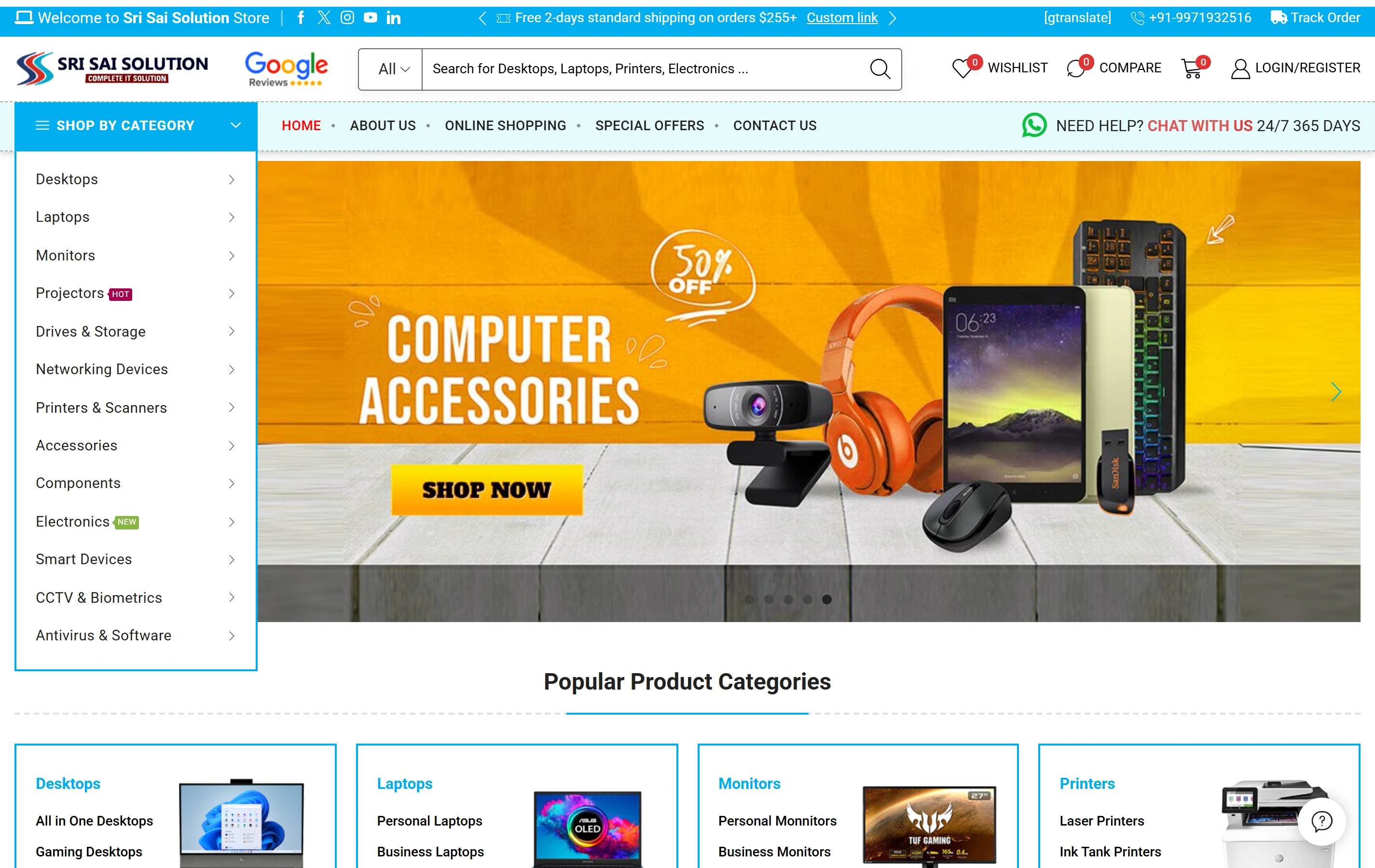
Sri Sai Solution is Softglimmer’s documented computers and electronics ecommerce website, with product categories, catalogue search and online shopping. Explore its public storefront as a reference for product presentation and browsing. Your own catalogue, merchant accounts and operating connections receive their own project scope.

Electronics catalogueA focused retail offering
Product discoveryDifferent ways to find a product
Shopping experienceStorefront presentation
Sri Sai Solution websiteSri Sai Solution

Questions before commissioning the store.

Can you improve our present website while keeping our store tools?

We first review the current catalogue, templates, buying process and connected tools. A focused design or content improvement may fit the requirement. Where a rebuild or platform move is appropriate, the proposal identifies retained material, useful addresses, supported data transfer and the staff tasks to check before the switch.

Can some products be bought and others start an enquiry?

Yes, that combination can be scoped when it suits the actual range. We agree the action for each type of product and how it is explained. The merchant should recognise an order and a discussion request in the receiving work. Required stock, payment or quotation connections are assessed against the selected setup.

What should we prepare for an estimate?

Share the existing website or a representative catalogue, approved images, product options and the steps staff take after a customer acts. Identify the person who maintains products and any tools that must remain. Page patterns, catalogue preparation, custom design, integrations and migration work help define the development scope and recurring dependencies.

What does the merchant receive after launch?

The agreed handover covers account ownership, product and collection editing, customer-work responsibilities and support contacts. We demonstrate ordinary changes with your team and identify the maintenance arrangement. Your Denver contacts work directly with our Ranchi studio through scheduled remote reviews and consolidated feedback.