
Skip to content
Retail Ecommerce Websites for Surat Sample and Quantity Choices

Make the sample choice different from the full product order.

A sample and a larger quantity can look similar while representing different units and purposes. The product page should make that distinction understandable before selection. We plan retail ecommerce websites for Surat businesses around approved item facts and an operating handover the seller can explain. Softglimmer delivers remotely from Ranchi. The proposed journey helps customers choose the intended offer without implying unsupported ordering or reservation behaviour.

Explore Surat
A product journey where the customer can tell whether they are choosing a sample or the ordinary selling quantity.
  1. 01

    Understand the item

    Explain the material and its approved product context.

  2. 02

    Choose sample or quantity

    Show what the selected unit represents.

  3. 03

    Review the request

    Retain the choice and quantity at the next step.

An example journey, shaped around your requirements.

A hypothetical working example

A sample photograph appears beside an unclear quantity selector.

Imagine a hypothetical Surat seller offering a material sample and an ordinary sale quantity. Both pages use a similar photograph, and the selector simply says “quantity”. A customer chooses several units without knowing whether they are sample pieces or the full product. The website needs an approved explanation of the item, the unit and the relationship between the two offers. The sample should not imply that the full order has been reserved or that every appearance detail is guaranteed.

Treat the selling unit as product information

The operating team should provide the approved unit, any selection rules and the explanation needed when the product varies. Show that context near the customer’s choice rather than hiding it in a long general policy page. If the seller cannot approve a fact, identify the question and use the appropriate enquiry route instead of presenting an uncertain unit as orderable.
Check the handover with a sample and a full item

Follow both choices through the proposed review screen and the receiving team’s view. Confirm which item reference, unit and quantity should arrive. A change from sample to full item should be deliberate and understandable. The prototype can expose ambiguity, but the real order, enquiry or fulfilment connection needs implementation evidence before its behaviour is accepted.

Item purpose and quantity choice
  1. 01

    Understand the item

    Explain the material and its approved product context.

  2. 02

    Choose sample or quantity

    Show what the selected unit represents.

  3. 03

    Review the request

    Retain the choice and quantity at the next step.

Hypothetical planning sequence.

Use approved distinctions throughout the buying journey.

01

Store additional facts deliberately

Shopify’s metafield documentation describes extending product and other platform records with custom data. That can support agreed information such as an item’s selling-unit explanation, where the chosen theme and implementation expose it correctly. Decide who maintains each field and how it is reviewed. A custom field does not by itself enforce an ordering rule or confirm product availability.

02

Avoid interchangeable sample and product labels

A sample offer and the ordinary product may share a family reference while needing distinct descriptions. Agree clear labels for selection, review and follow-up. Check the customer’s interpretation with representative items. Do not rely solely on a changed photograph or a small price difference to explain the distinction; the seller’s approved wording should make the purpose clear.

03

Define what happens when a choice changes

If a customer changes the offer type after selecting a quantity, decide whether the earlier quantity remains meaningful. Review the new context before carrying it forward. The store should not silently reinterpret several sample units as the same number of full units. Make any required correction visible, and give the buyer a usable path when the selected option cannot proceed.

04

Choose a supported order boundary

Some products can follow an ordinary checkout, while another offer may require a quote or staff confirmation. Document which route applies and what the interface may honestly say. Payments, stock connections and supplier decisions depend on the agreed platform and operating scope. An enquiry state should not imply that a full product order or reservation has been completed.

A storefront model the seller can maintain.

01

Product information model

Describe the product family, separate offer types, selling units, maintained fields and the approved explanations visible at each step. Demonstrate the structure with a normal item and an exception. Include the relationship between sample and full product so later catalogue entries do not reintroduce the ambiguity the first design resolved.

02

Selection and review screens

Prepare the proposed browsing, choice and review states with clear labels and quantity context. Include a changed selection and an option that cannot proceed. The design should show the customer what they are asking for and give the operating reviewer enough context to explain how the request would be handled.

03

Acceptance and editing evidence

Check the real implemented journey with both offer types and the approved item information. Verify the intended receiving boundary and demonstrate an ordinary content update. Record which ordering rules are supported, which depend on staff review and which are outside the first release. The handover should name the product-information owner.

Prepare the item and the exception together.

Bring a sample offer, its ordinary product and the operating information that connects them. Explain the approved units and any representative-image limitation. Review whether separate records, a clear option model or an enquiry-led structure best fits the catalogue and platform scope. During remote reviews from Ranchi, include the Surat colleague who approves supply facts. Before release, repeat both journeys after changing a description or unit explanation, so the editable model is checked alongside the original design.

A useful reference for product browsing.

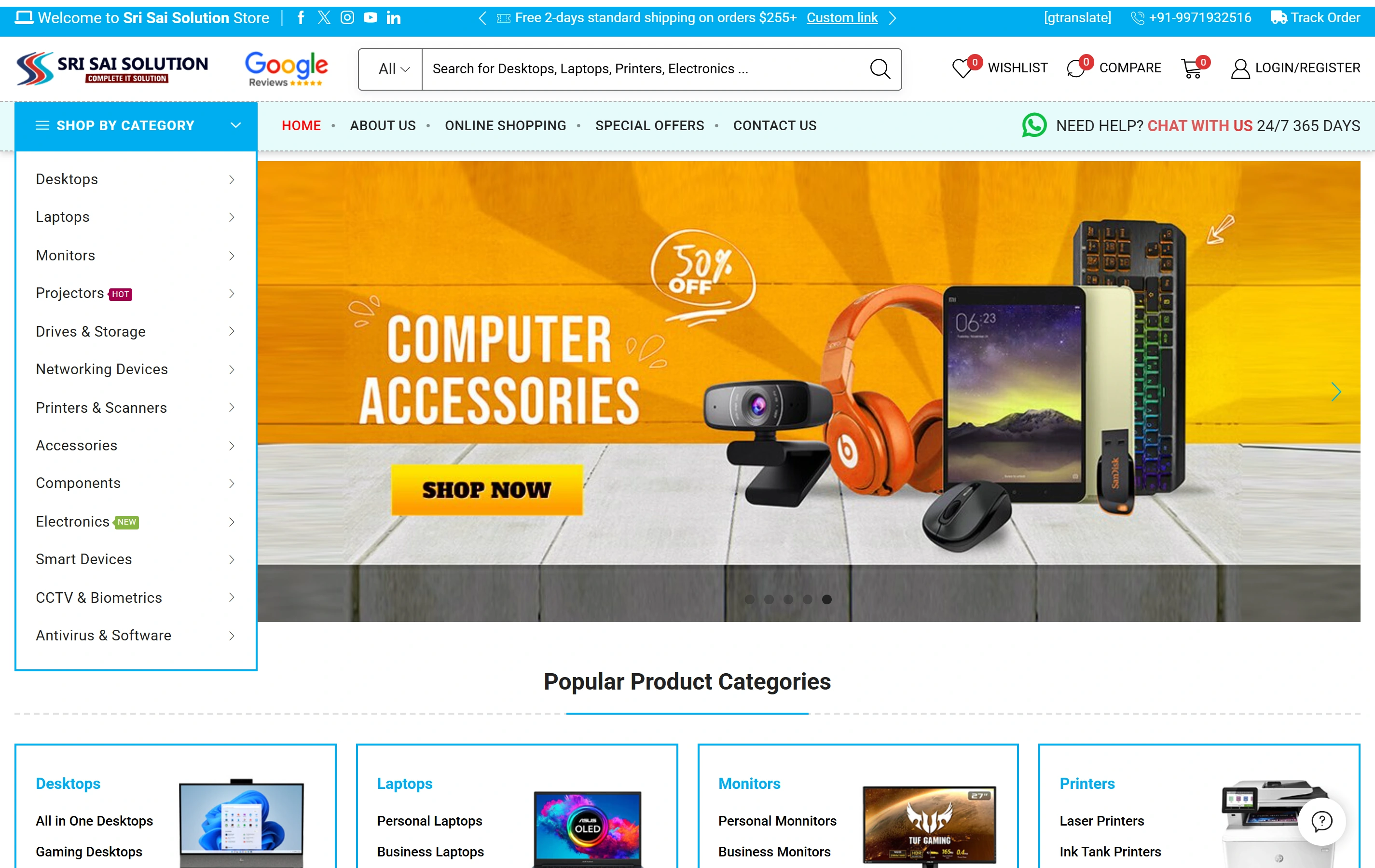
Sri Sai Solution’s electronics website shows product categories, catalogue search and online shopping. Use it as a browsing reference when discussing your catalogue. The sample-and-quantity journey in this guide is a planning example, to be shaped around your approved product information and store platform.

Electronics catalogueA focused retail offering
Product discoveryDifferent ways to find a product
Shopping experienceStorefront presentation
Sri Sai Solution websiteSri Sai Solution

Project questions.

Does a custom product field enforce the quantity rule?

No. A maintained field can explain an approved fact, while an ordering rule needs deliberate platform behaviour and verification. Decide what must be displayed, what must be validated and what requires staff review. Treat those as connected but separate requirements so a descriptive label is not mistaken for an operational control.

Can samples and full products use the same image?

They may if the seller has permission to use the image and the surrounding explanation accurately describes each offer. Review whether the picture could cause a customer to assume an identical quantity or guarantee. Product facts and alternatives should be approved for the actual item; visual similarity should not replace the selling-unit explanation.

Can we keep some items enquiry-only?

Enquiry-only items can be included deliberately. Explain why discussion is needed, what context the customer should supply and how the receiving team recognises it. Remote delivery from Ranchi leaves supply facts and subsequent product decisions with the Surat business.