
Skip to content
Digital Catalogue Planning for Surat Businesses

Give the catalogue team a shared definition of a publishable product.

A catalogue needs approved facts as well as photographs. Agree what identifies a product, what the buyer must understand and who maintains its information. For Surat businesses considering a website, store or enquiry catalogue, representative items make that brief concrete. Softglimmer delivers remotely from its Ranchi studio. Discovery separates image preparation, product information and the operating decisions that determine the customer’s next action.

Read the focused guide
A remote catalogue brief that distinguishes presentation material from facts the operating team must maintain.
  1. 01

    Choose representative items

    Include a normal item and a difficult exception.

  2. 02

    Approve the product facts

    Name the owner of descriptions and images.

  3. 03

    Set the buying boundary

    Decide what can be ordered or only discussed.

An example journey, shaped around your requirements.

A hypothetical working example

The product photographs are ready, but the catalogue is not.

Consider a hypothetical Surat seller preparing an online catalogue. The photographer supplies images labelled with informal names, while the operating spreadsheet uses item codes and selling units. Some items are examples that need discussion before supply. Publishing the image folder as products would make those differences invisible. The remote project should begin with a small, reconciled set that connects each photograph to approved item information and a deliberate order or enquiry route.

Review a product pack with the right people

Bring together the person who recognises the item, the colleague who knows the selling unit and the reviewer responsible for public wording. They do not need to attend every design discussion. They do need to resolve the representative pack before it becomes a template for the rest of the catalogue. Mark unresolved facts as questions rather than filling them with attractive guesses.
Use remote review to check relationships

A shared-screen review can follow the item code from the source sheet to the proposed page and the customer’s next action. Ask the operating owner to explain what the receiving team would need. Record differences between the sample and the ordinary sale. A written product pack then gives an absent colleague something more useful to assess than an isolated homepage screenshot.

Items, evidence and buying boundaries
  1. 01

    Choose representative items

    Include a normal item and a difficult exception.

  2. 02

    Approve the product facts

    Name the owner of descriptions and images.

  3. 03

    Set the buying boundary

    Decide what can be ordered or only discussed.

Hypothetical planning sequence.

Decide what the catalogue should make dependable.

01

Choose images around their information purpose

W3C’s image guidance distinguishes the alternatives an image needs according to its purpose. Discuss whether a product image communicates appearance, illustrates context or acts as a link, and prepare its alternative accordingly. Do not make the photograph carry specifications that the buyer cannot reliably infer from it. The source owner should approve written product facts separately.

02

Select a catalogue or an operating store

Some offers suit a public information page and a qualified enquiry; others have an approved ordering model. Describe the actual operating route before choosing the platform. Account ownership, catalogue maintenance, payment connections and fulfilment responsibilities can change the scope. A catalogue image and a contact button do not establish that an online order can be completed.

03

Keep the product pack maintainable

Agree the minimum publishable fields and the naming convention for assets. Include a record of the reviewer and the material’s permitted use. A remote team can work more effectively when the same product is recognisable in the spreadsheet, image folder and page draft. The process should also identify which fields are deliberately absent from a particular item.

04

Use the shared working day for decisions

Surat and Ranchi operate on the India time zone. Schedule review sessions when the operating colleague can inspect actual item information, rather than only when a design representative is free. Send specific questions beforehand and keep a written decision trail. Matching time zones helps scheduling; it does not remove the need to agree a response window.

A catalogue discovery package with usable ownership.

01

Representative product set

Prepare a small collection of normal, incomplete and exceptional items with approved identifiers, images, units and public descriptions. Use it to assess the proposed page structure. This set should expose where a stock product differs from an item that needs a conversation, so the operating route is designed around real distinctions.

02

Publishing responsibilities

Identify who supplies facts, who approves images and who can publish a change. Record where the maintained catalogue information lives and how the website receives an update. If a connection to another system is proposed, access and failure handling belong in its own agreed scope rather than being assumed from the discovery spreadsheet.

03

First-release review plan

Choose the pages and buying journey that must work before the initial release can be accepted. Include review of an incomplete item and a customer returning with a product reference. The proposal should identify implementation checks, handover material and support ownership, with later catalogue expansion treated as a separate decision.

Start with an item the team can explain consistently.

Bring the catalogue, source spreadsheet and representative images. Ask the operating colleague to explain each item’s identifier, selling unit and usual buyer question. Confirm whether the photograph depicts the exact item available for supply. Where appearance or configuration varies, obtain an approved explanation. Remote discovery can compare catalogue pages, enquiry-led information and a store against the same evidence. Before choosing the release, name the product-pack maintainer and the person who resolves uncertainty. Retain the ordering boundary in the design and acceptance checklist.

Product information in a working catalogue.

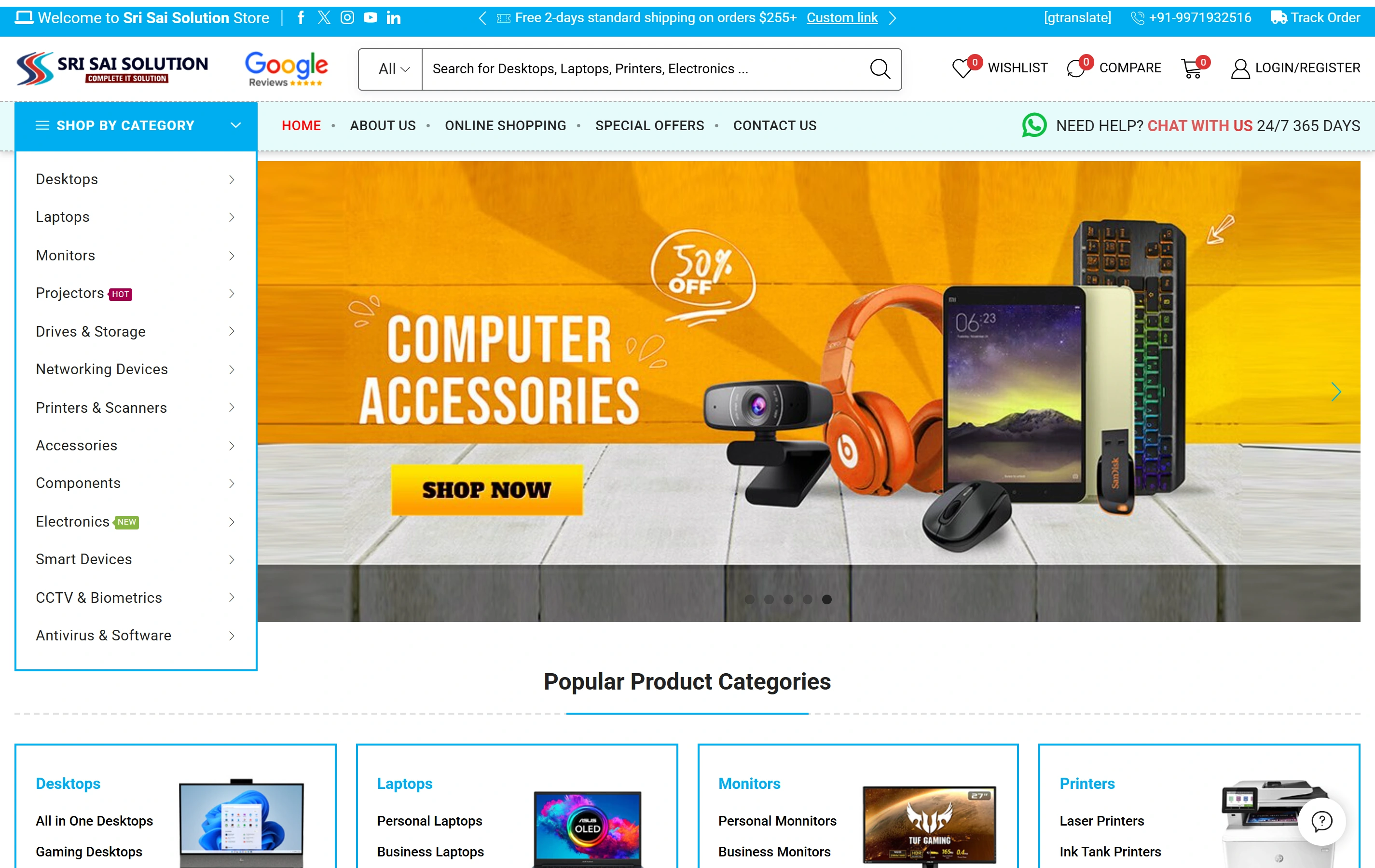
Sri Sai Solution’s electronics ecommerce website brings together product categories, catalogue search and online shopping. Explore it as a reference for product presentation. Your Surat catalogue brief would use your own product facts, selling units, images and ordering arrangements.

Electronics catalogueA focused retail offering
Product discoveryDifferent ways to find a product
Shopping experienceStorefront presentation
Sri Sai Solution websiteSri Sai Solution

Project questions.

Can we begin before the whole catalogue is prepared?

Yes, a representative set can help settle the structure and the first-release boundary. Decide which material is approved and which needs preparation. An incomplete catalogue should not be filled with invented specifications. The proposal can include content work explicitly, while giving the business a usable method for preparing later items.

Will the website automatically use our stock sheet?

Only if an appropriate connection is agreed and implemented with the system owner’s access and responsibilities. A spreadsheet can be discovery evidence without becoming a live source. Discuss update frequency, item identifiers, unavailable responses and the person responsible for correction before promising that public information reflects an operating system.

Is the delivery team based in Surat?

Our studio is in Ranchi. Surat projects use remote product reviews and agreed India-time sessions, with business reviewers and account owners identified in the plan.